Shop-Floor Inspection Report App (Scan Entry, Shared-Folder Storage)
From handwritten inspection notes to scan-and-tap data entry
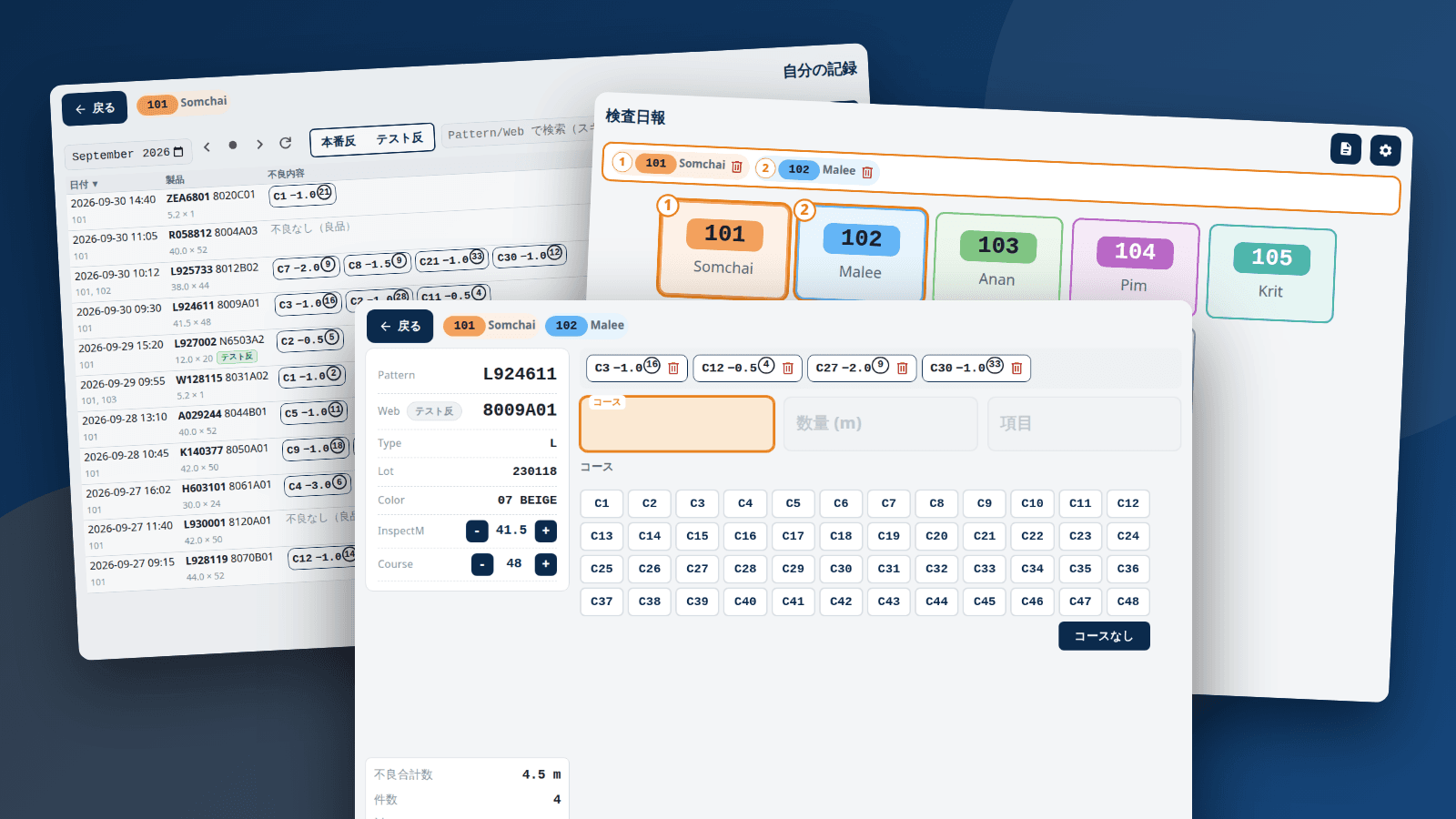
Background & Problem
In the inspection department of a dyeing-and-finishing plant, operators recorded results (course number, defect length, defect type) in handwritten notebooks and in files on a shared folder. A shared file could not be opened by anyone else once one person had it open, simultaneous writes risked corruption, and totals had to be re-typed by hand afterwards. The constraints were tight: it had to bridge the gap until an in-house production system was ready, no SQL server could be introduced (only a shared folder), around 10 PCs and 30 operators would register several times a day, and the users included first-time PC users, older operators and Thai speakers. The bar was "faster and harder to get wrong than writing in the notebook", and I designed it as a Tauri v2 desktop app.
Key Features
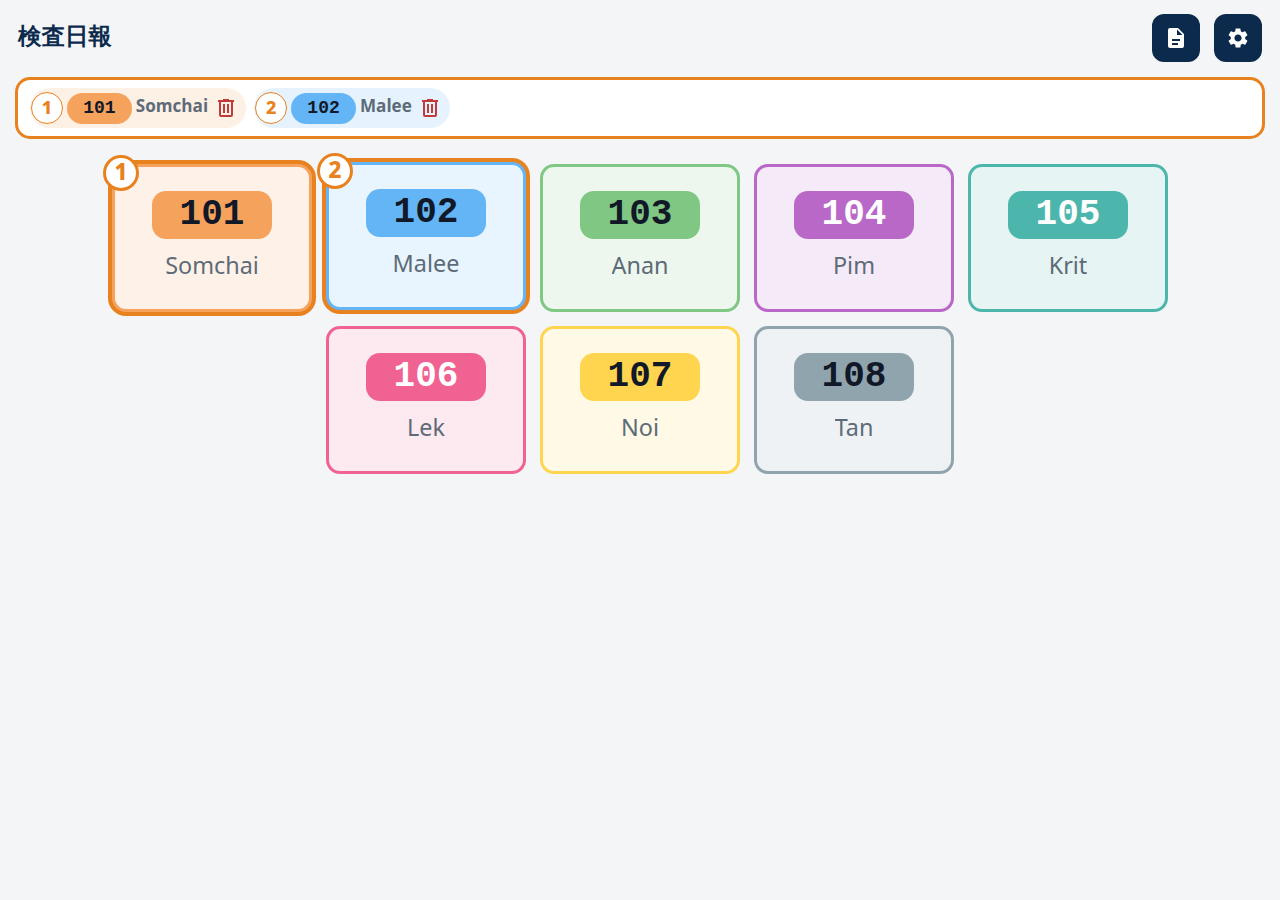
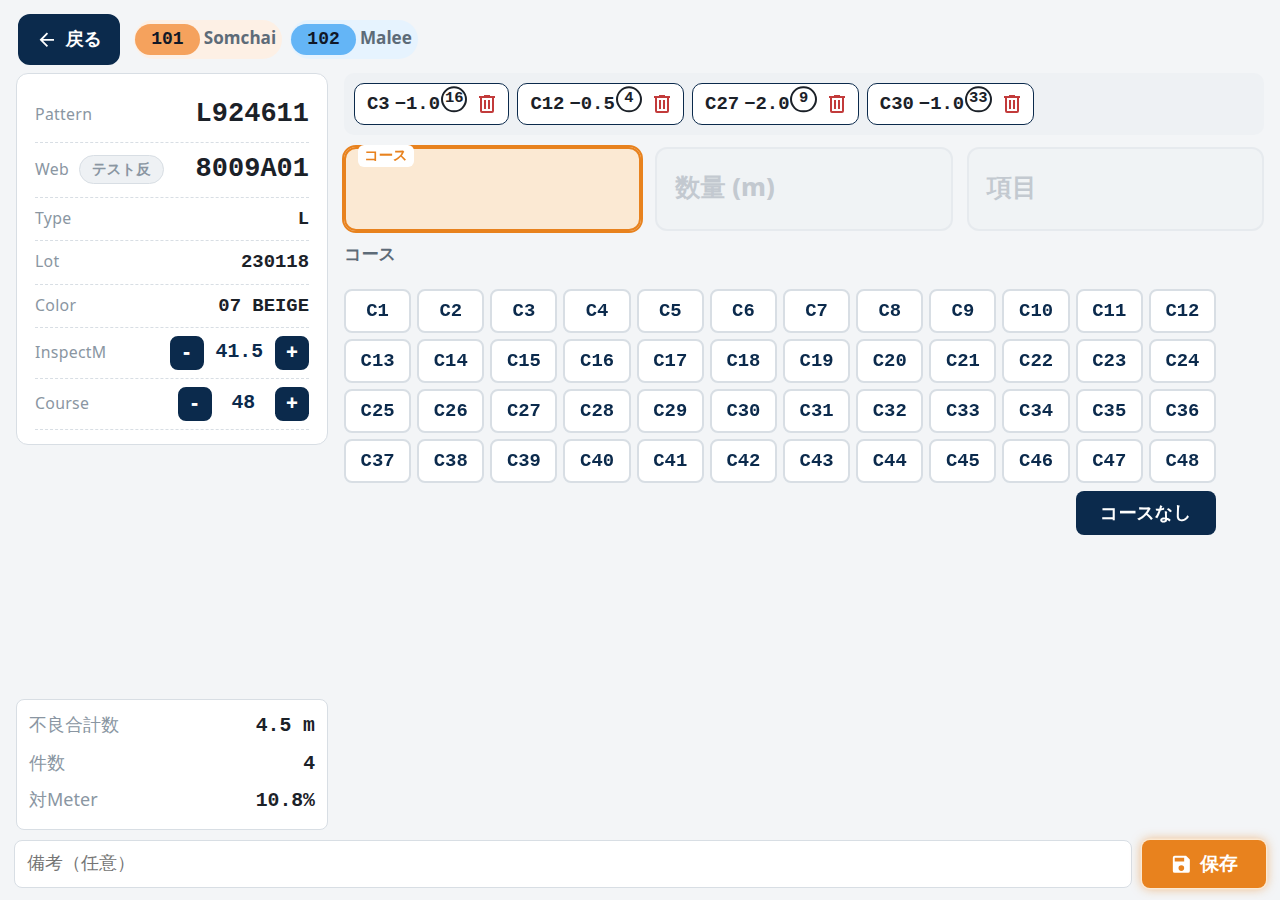
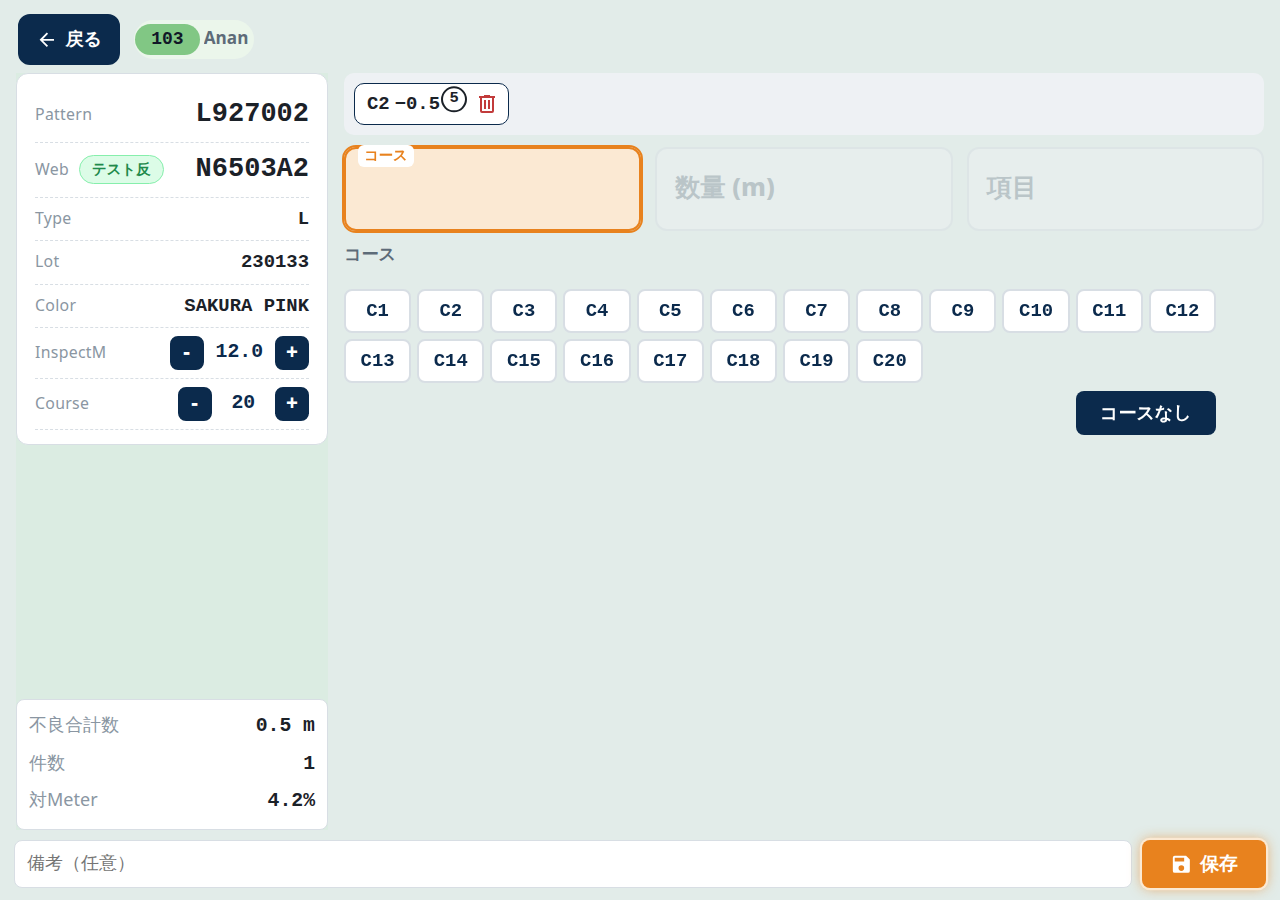
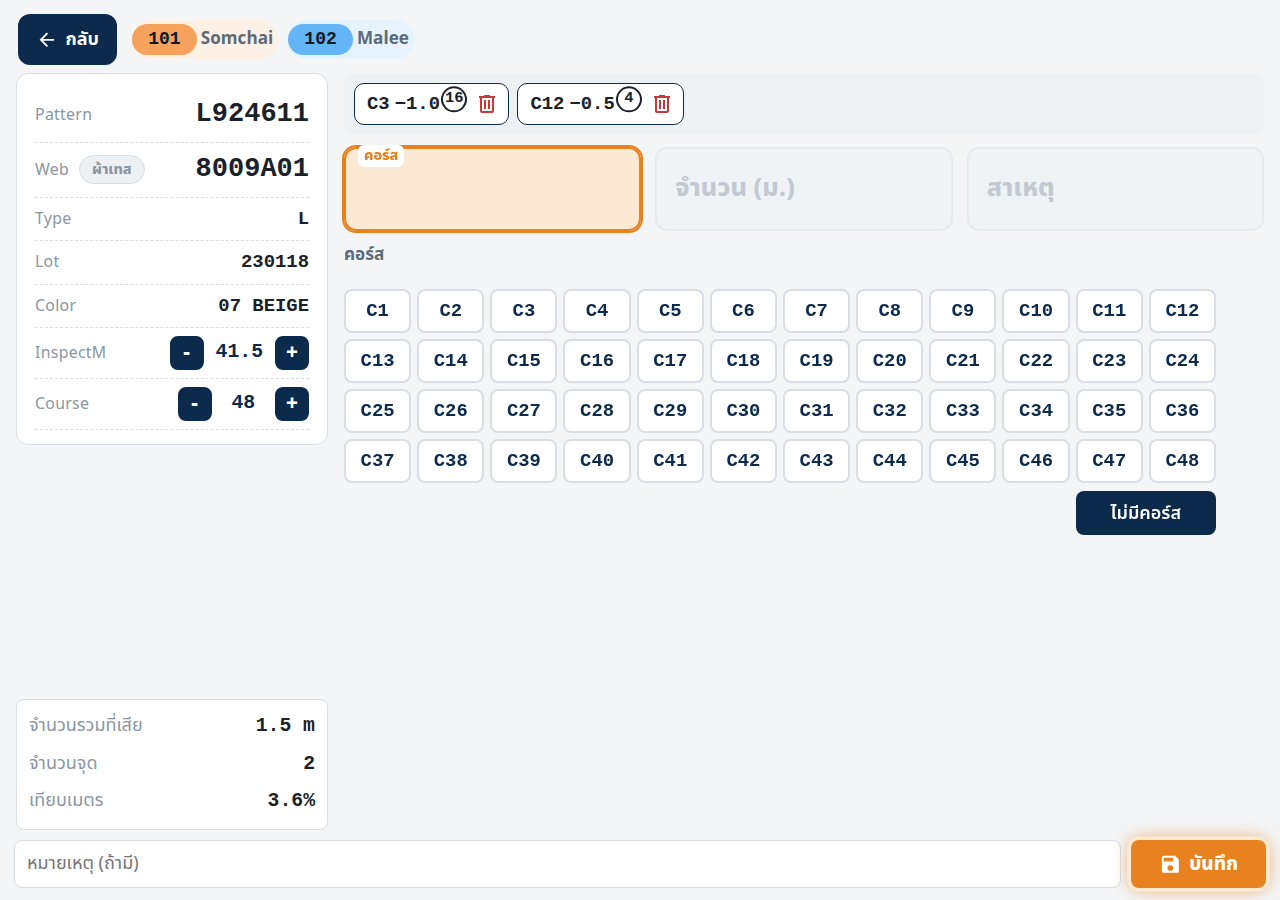
The operator taps a staff card (several for joint work) and scans the product barcode; model number, lot, colour, inspected length and course count fill in automatically. Defects are entered through three fields (course, quantity, defect type), advancing with Enter, and each is confirmed as a chip. Total defect length, count and the ratio to the inspected length are always visible, and after saving the app returns to the scan screen for back-to-back inspections. The entry screen fits 1280x1080 without scrolling, and corrections and cancellations reuse the same screen so there is nothing new to learn.
Input Design for Experts and Beginners Alike
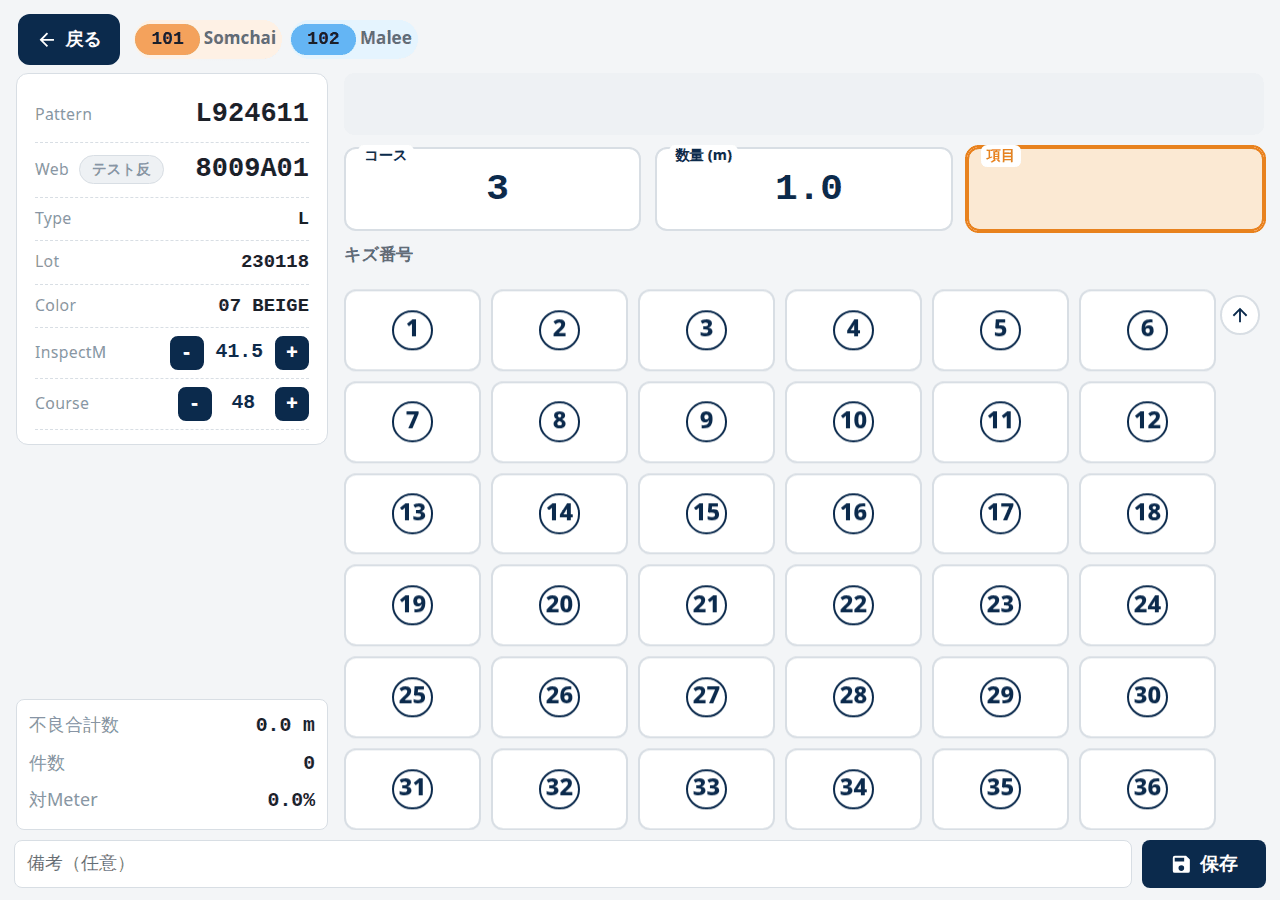
The large area below the fields switches as a whole depending on the focused field: course tiles, quantity presets, then the defect-type grid (6x6). Switching lets each button be large, lowering the cognitive load for first-time PC users. The three fields stay visible at all times, so an expert can simply type and press Enter without ever looking at the palette. Details matter too. Unicode circled digits vary in shape and size across OSes and fonts, so the defect numbers are drawn with CSS circles for a consistent look on every screen. To stop the trailing Enter sent by a barcode scanner from skipping a field, Enter is ignored for 250 ms right after the screen transition.
Technical Approach & Architecture
Putting SQLite on a shared folder was rejected because file locking over SMB is unreliable and can corrupt the database. Instead every submission becomes a new file and existing files are never opened again. The app is Tauri v2 with plain JavaScript and no bundler or framework. That keeps it light on modest business PCs, ships as a single executable, and lets Rust handle file storage and master lookups robustly. Product-master reads over ODBC go straight from Rust rather than through PowerShell, removing external-process start-up delay and a source of garbled text.
Engineering Highlights: Concurrent Saves That Cannot Corrupt
Each submission is saved as a new file named from the PC name, timestamp and a UUID; it is written to a temporary file, synced, and only then renamed into place, so no other PC ever reads a half-written file. Corrections and cancellations are appended as new records instead of edits, and readers take only the latest valid record that has not been superseded. Test-product records are appended to per-device, per-process monthly files to keep the file count down. With a single writer per file there is no contention, and each line is written in a single call and flushed to disk. Readers skip damaged lines and half-written temporary files, and read many small files in parallel to hide network latency. A save by another PC while someone is browsing never interferes.
Engineering Highlights: Prod/Test Detection and Lookups That Survive a DB Outage
The scanned string is split into model number and serial number, and the digit count of the serial number decides production versus trial product, implemented as a side-effect-free pure function. Trial products look up the shared master CSV first; on a hit, lot, colour and length come back without touching the database, which is fast and works even when the DB is down. When the master has no row, or the length is blank or zero, the app falls back to the database rather than filling in a constant and creating wrong data. The first version used the database only; I moved to master-first after weighing response time and the impact of DB downtime. The trial-product screen turns light green so it cannot be mistaken for a production one. The CSV reader handles quoted line breaks and BOMs, which fixed a column-shift bug found on real data.
Localisation and Fit to the Floor
Most operators speak Thai, so the UI defaults to Thai, with Japanese and English available for development and maintenance. Strings live in a single dictionary applied through attributes, and I audited the code so that no hard-coded Japanese bypasses it. The Thai font is bundled with the app, so text renders correctly even offline.
Review, Correction and Cancellation
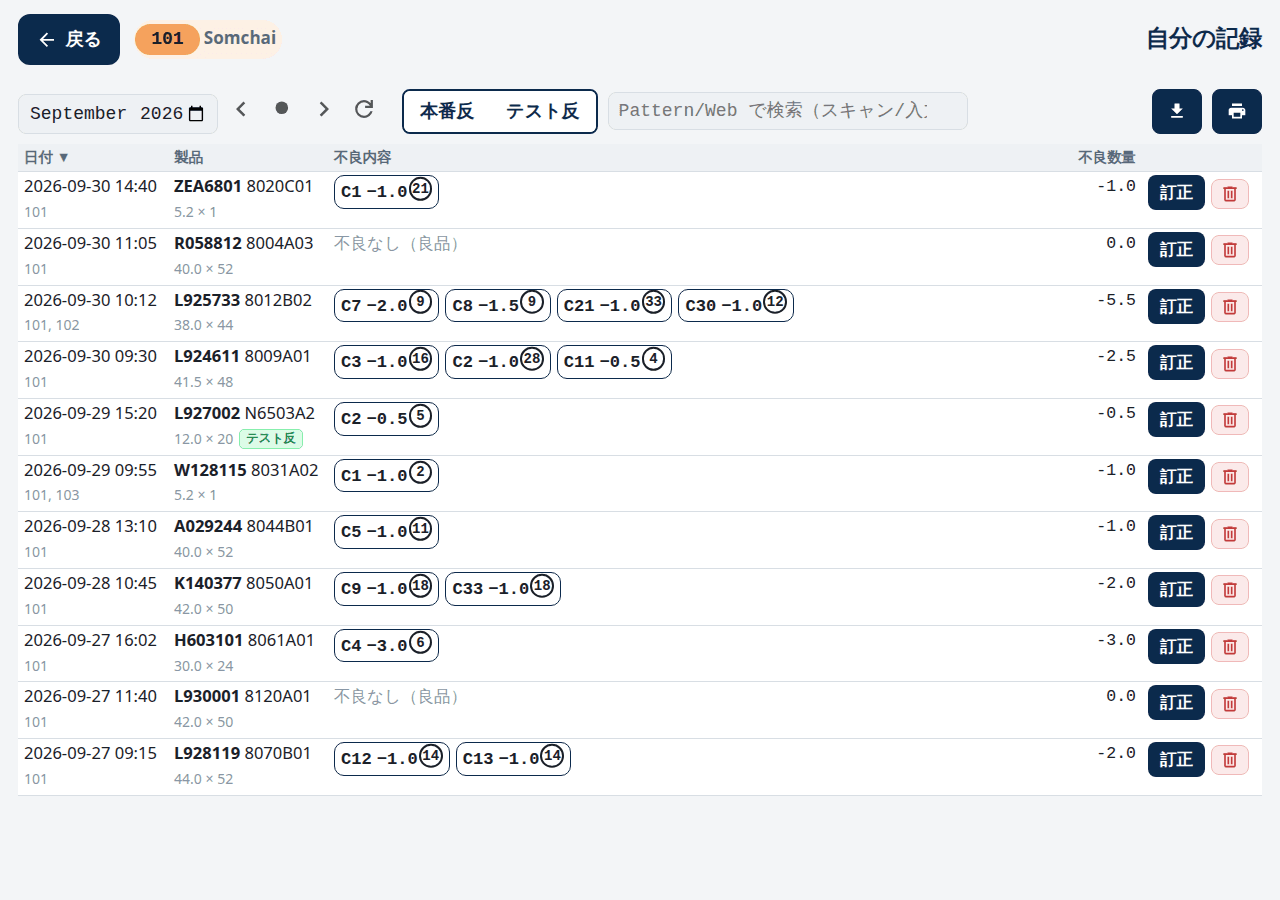
"My records" lists everything the operator took part in for a period. Joint-work records appear for everyone involved, and pressing Correct on a row opens the normal entry screen pre-filled, so there is nothing new to learn. Cancelled records stay visible as cancelled, and production and trial products filter with one tap. Corrections and cancellations are appended as new records, so the original is never erased and it stays traceable who changed what and when. Records of a closed month cannot be corrected, keeping totals stable once they have been compiled.
Outcome & Current Status
Operators review their own records for a period and correct or cancel them in place. Managers see all records as counts per product type and day, export CSV, and close a month (no corrections afterwards). Corrections and cancellations are appended, so history is never lost and stays traceable. It is at the 0.9 stage and still improving while in use. The storage layer and master reader have 19 Rust unit tests. Measuring the labour saved is still to come, and verifying that the course count from the master matches the DB-derived one on real machines is in progress.