Process Progress Registration & Viewer (Append-Only Logs on a Shared Folder)
Keeping stage progress in sync with nothing but a shared folder
Background & Challenges
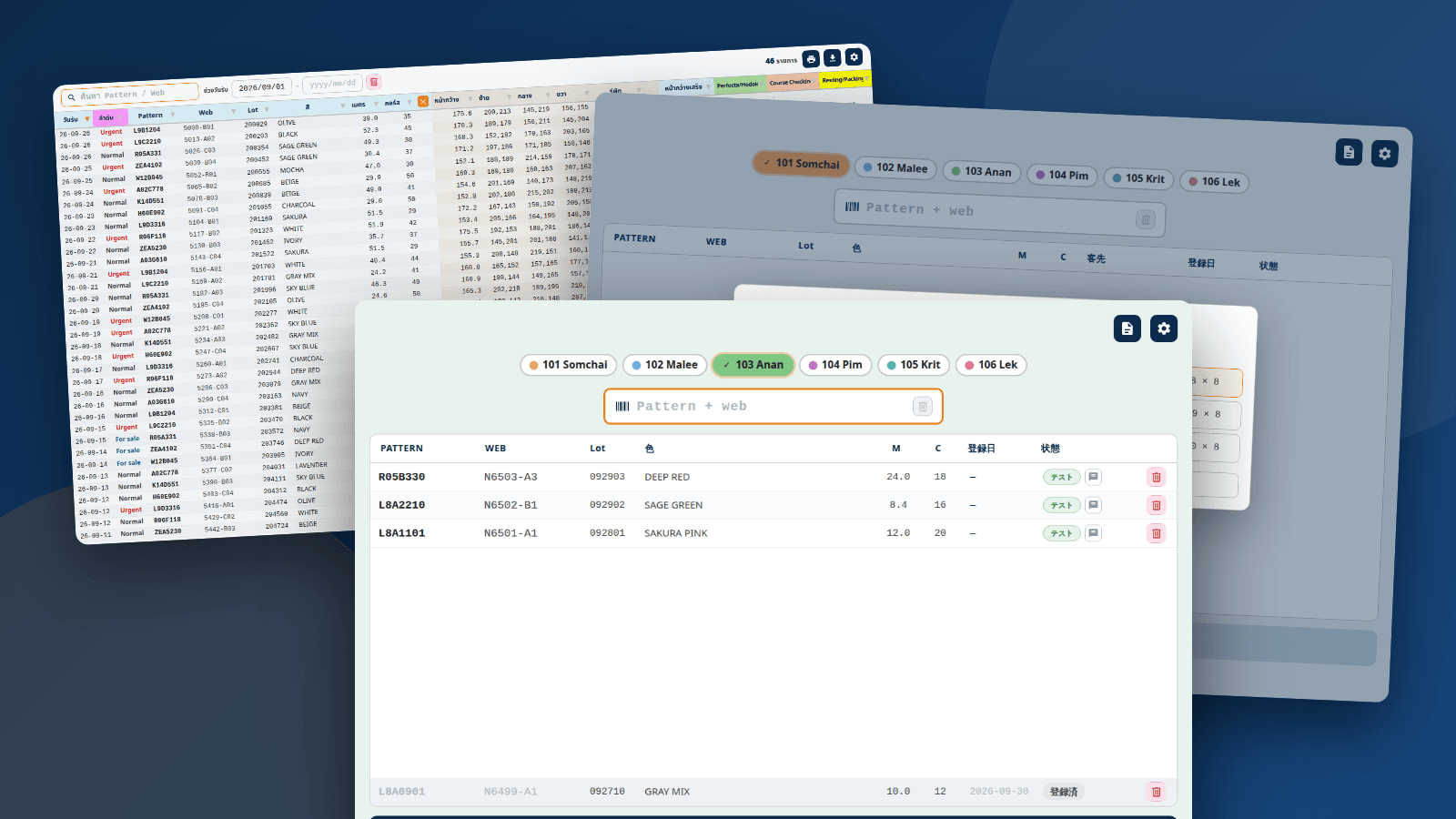
In a dyeing-and-finishing plant, each product passes through several stages in turn, such as unwinding, course inspection and reeling/packing. Completion of each stage was kept in separate handwritten notes or files, so finding out where a product stood meant cross-checking several records. The constraints were tight: no database server could be introduced, only a shared folder; different people on different PCs handle each stage; some operators are unfamiliar with PCs; and the main UI language is Thai. We therefore built a two-part progress-tracking system: a scan-based registration app and a read-only viewer that lists every stage at once.
Key Features
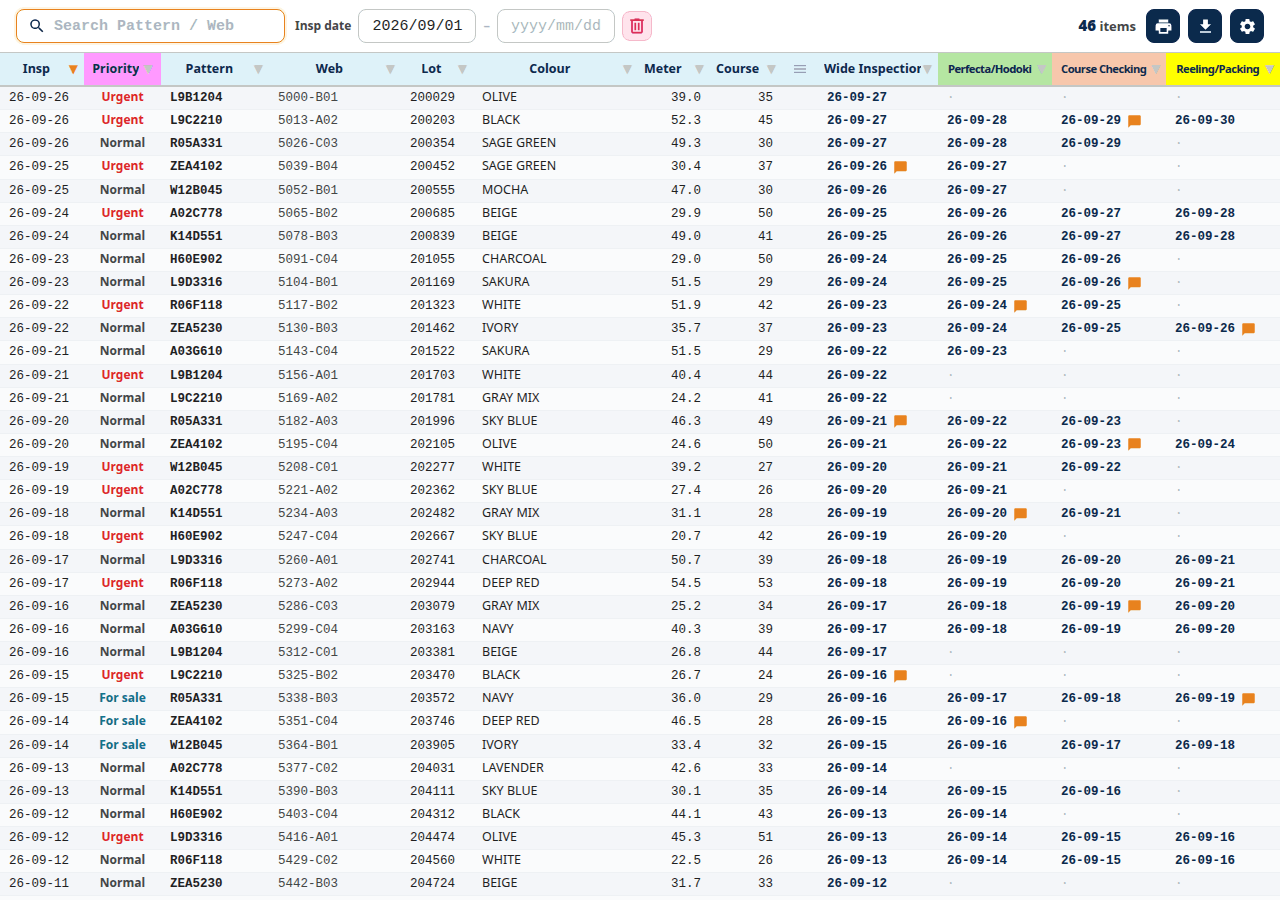
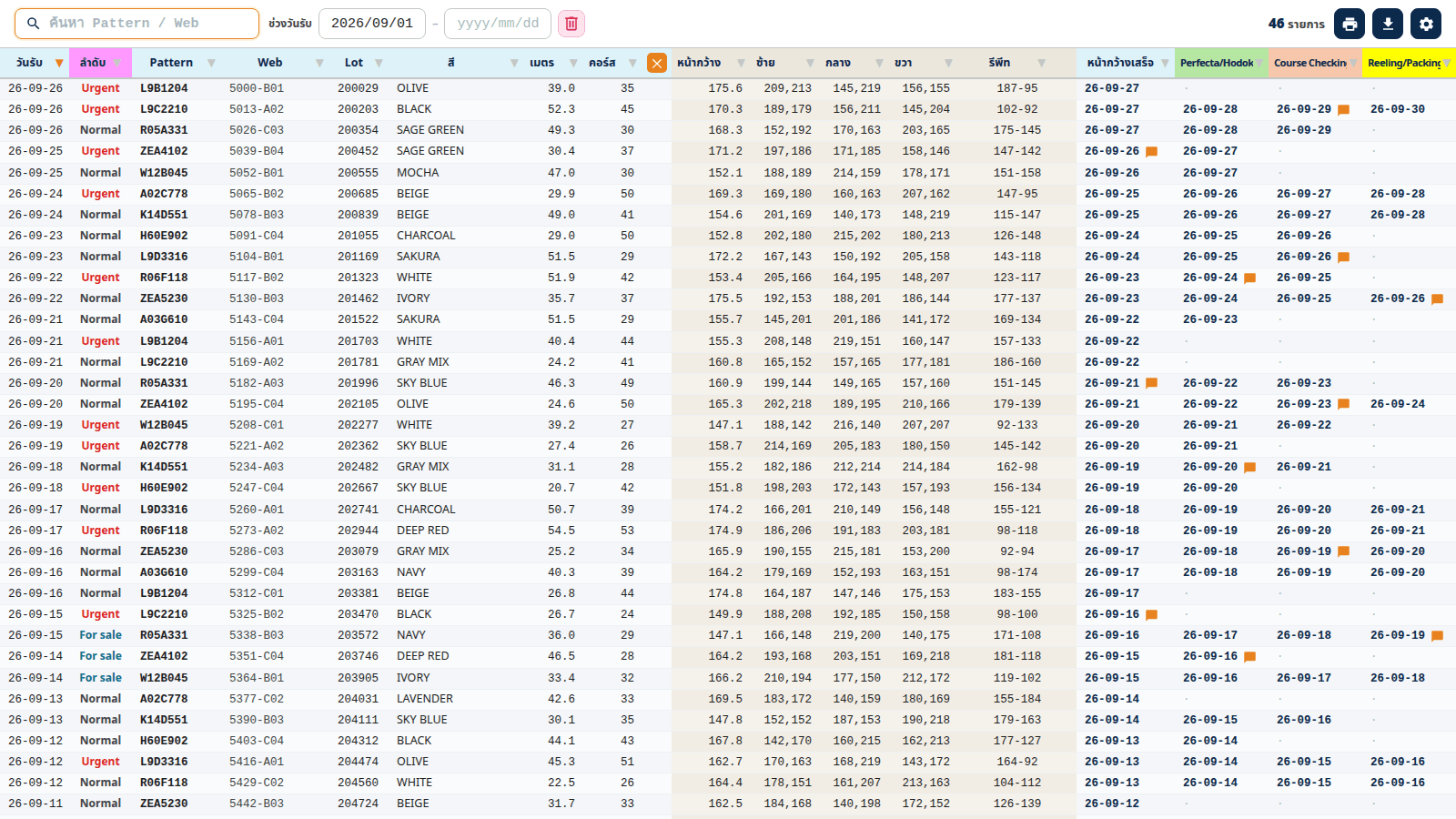
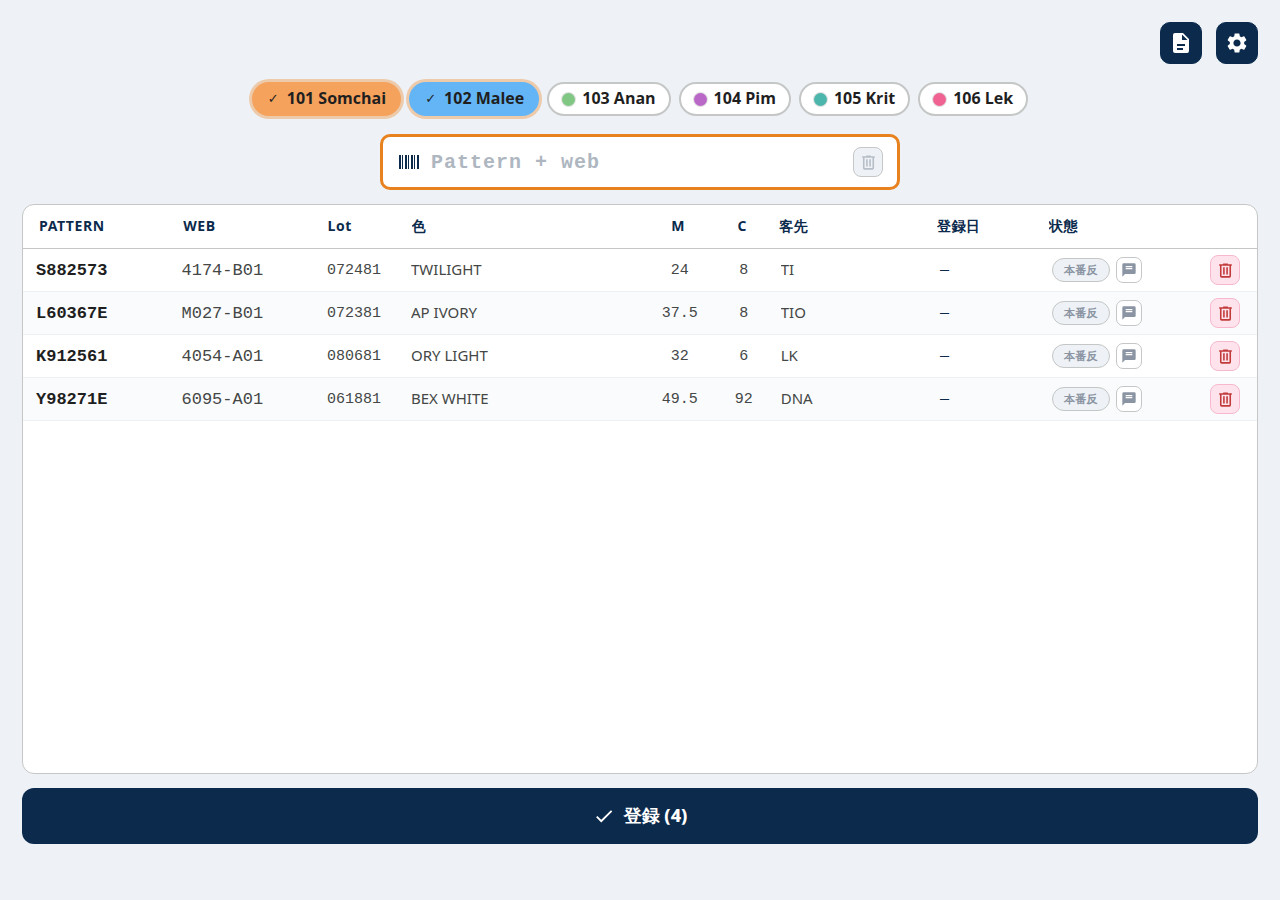
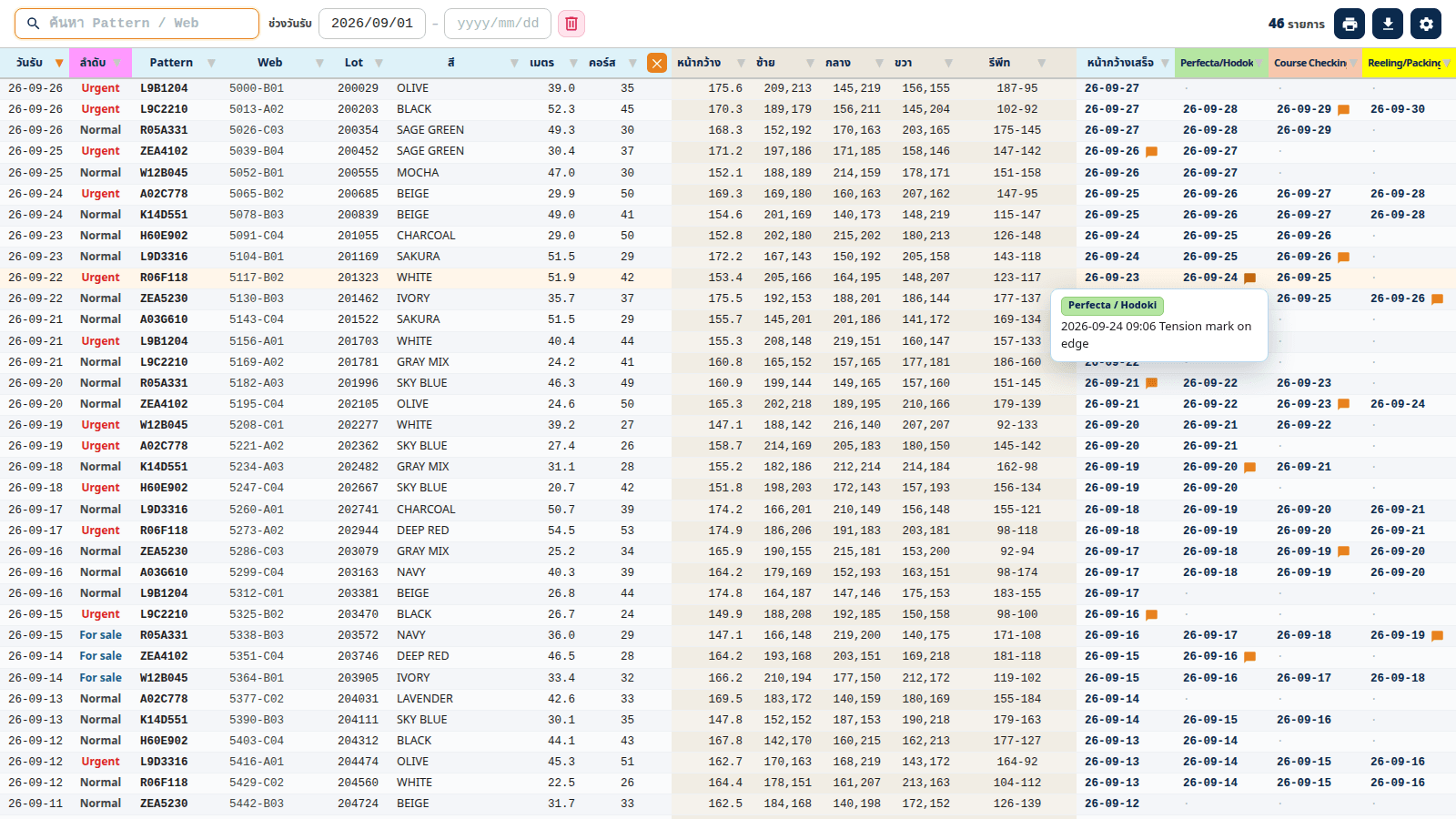
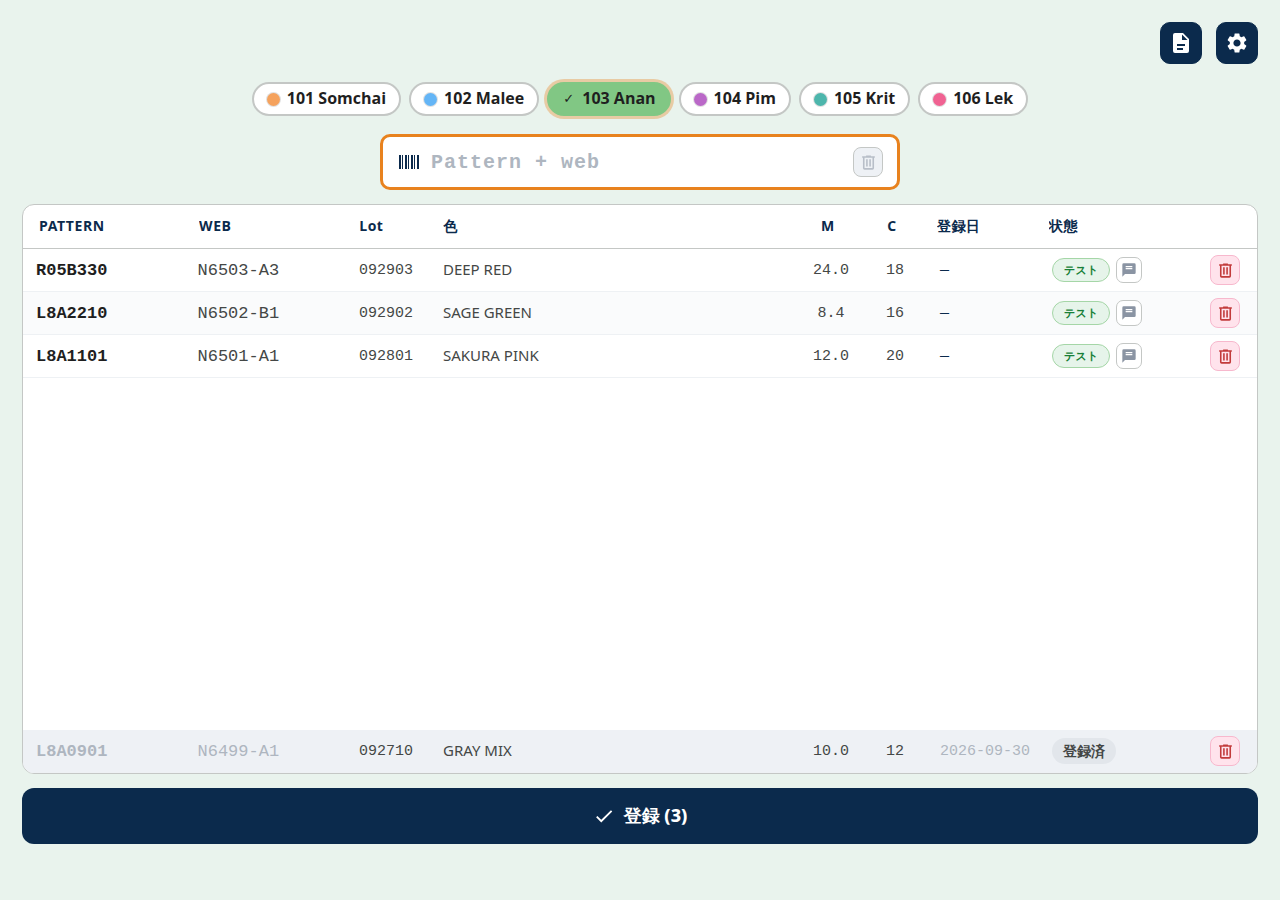
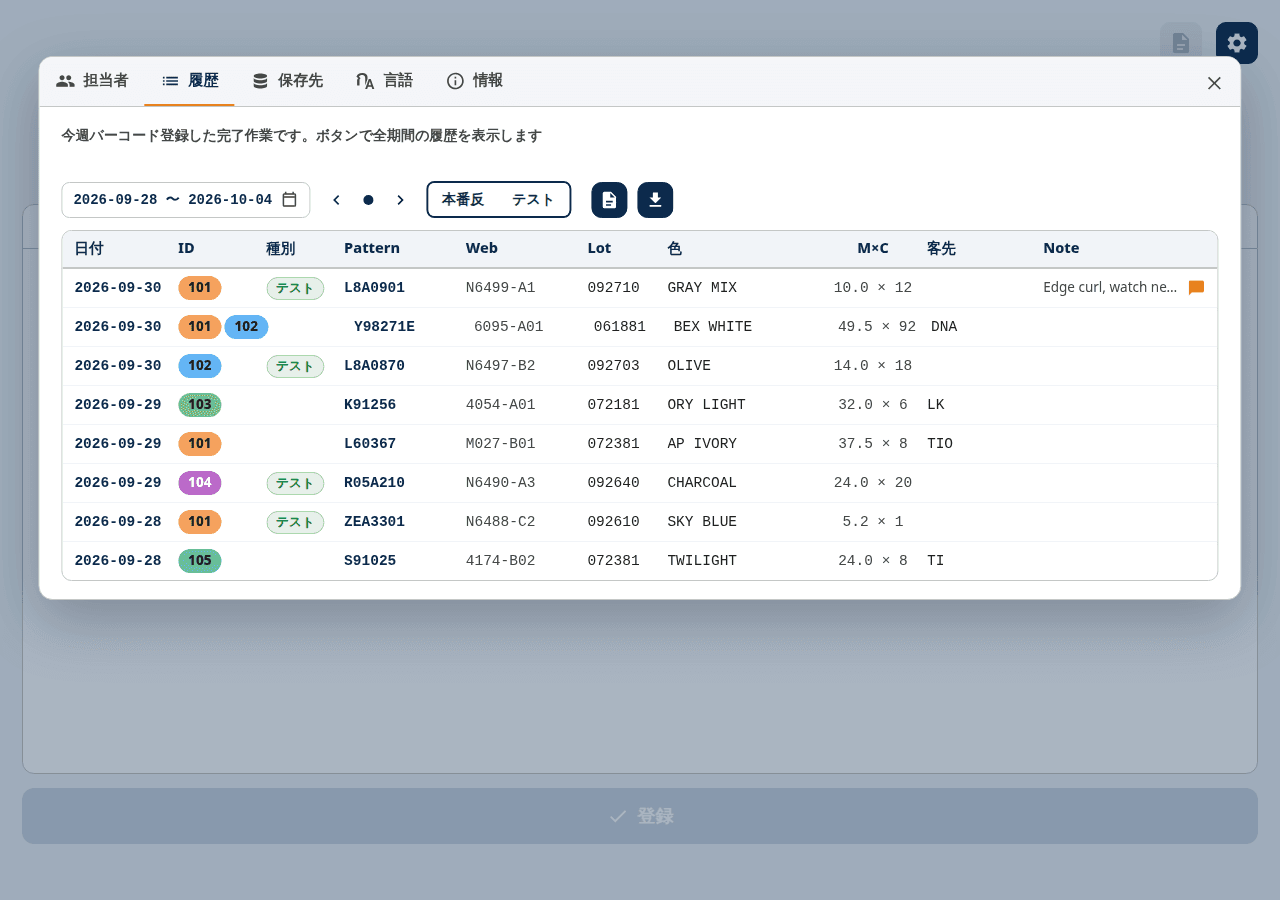
On the input side, the operator scans a product barcode, selects a staff chip and presses register. It colour-codes production and trial items, greys out already-registered rows, and offers a personal history with correction and cancellation, period-based history, and CSV export. The viewer shows one row per product, with the completion date and comment for each stage side by side. It supports search by pattern, web, lot and colour, period filtering, column filters and sorting, printing, and CSV export including per-stage comments. On a 1280px monitor, detail columns collapse automatically and dates use one format everywhere.
Key Features: Viewer
In the viewer, search is now combined with the selected period (AND). Previously the search term ignored the period, so rows outside the calendar range appeared and looked unintended. Now only in-range rows are shown, and if matches also exist outside the range, their count is reported, so products that are only out of range are not overlooked. Stage comments open in a popup on hover, with position and colour matched to the stage header so they are not clipped at the screen edge.
Architecture & Technology Choices
The apps are built with Tauri v2 (Rust plus plain HTML/CSS/JavaScript), with the registration app and the viewer in one repository. The only link between them is an append-only event file on the shared folder (one JSON event per line, with a schema version); there is no database or service. Corrections and cancellations never rewrite earlier lines; they are appended as later events, and the viewer rebuilds the current state by taking the latest event per target. Since each machine writes to its own file, write conflicts cannot occur, and lock-prone files such as SQLite never sit on the share. The downside is that reading grows with history; this is contained by monthly file splitting and by key normalisation and de-duplication at load time.
Engineering: Production vs. Trial and Work Selection
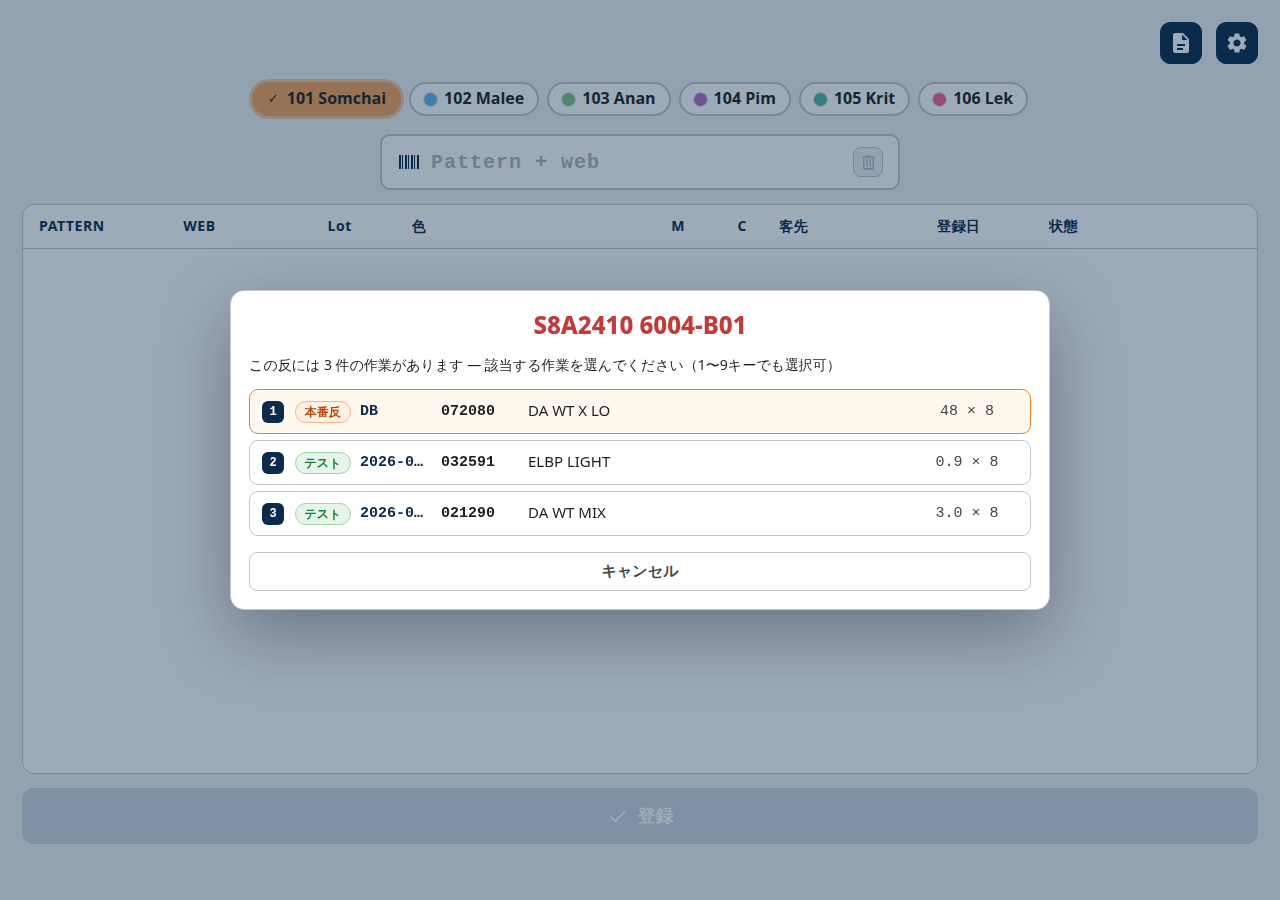
The master CSV contains only trial items, while production items come from a separate product database. The type (production/trial) is now decided by where the data came from rather than by the digit count of the serial number. We also found real cases where the same model and serial number had several production and trial records that a barcode alone could not tell apart, so a work-selection dialog now appears, letting the operator choose a candidate (type, lot, colour, quantity) with keys 1–9. Done-state is checked with a lot-aware key so another lot of the same product is not treated as a duplicate. If the product database is unreachable, the user is notified instead of failing silently. The consistency between trial-only products and their production counterparts is still being confirmed in daily use (ongoing).
Engineering: Always-On Use and Auto-Refresh
The registration app stays open and maximised in the taskbar. If the master was updated in the afternoon after a morning launch, the app kept showing stale data and reported items as unregistered. The app now polls a lightweight stamp (modified time and size) of the master and history files and reloads only when it changes. Because it never re-reads everything on each poll, the load on the PC is small. We also computed the usable height of a 1280×980 monitor and adjusted the layout: maximised launch, a Lot column, a fixed-width date column and note text shown inline.
Engineering: Personal History and Multi-Person Work
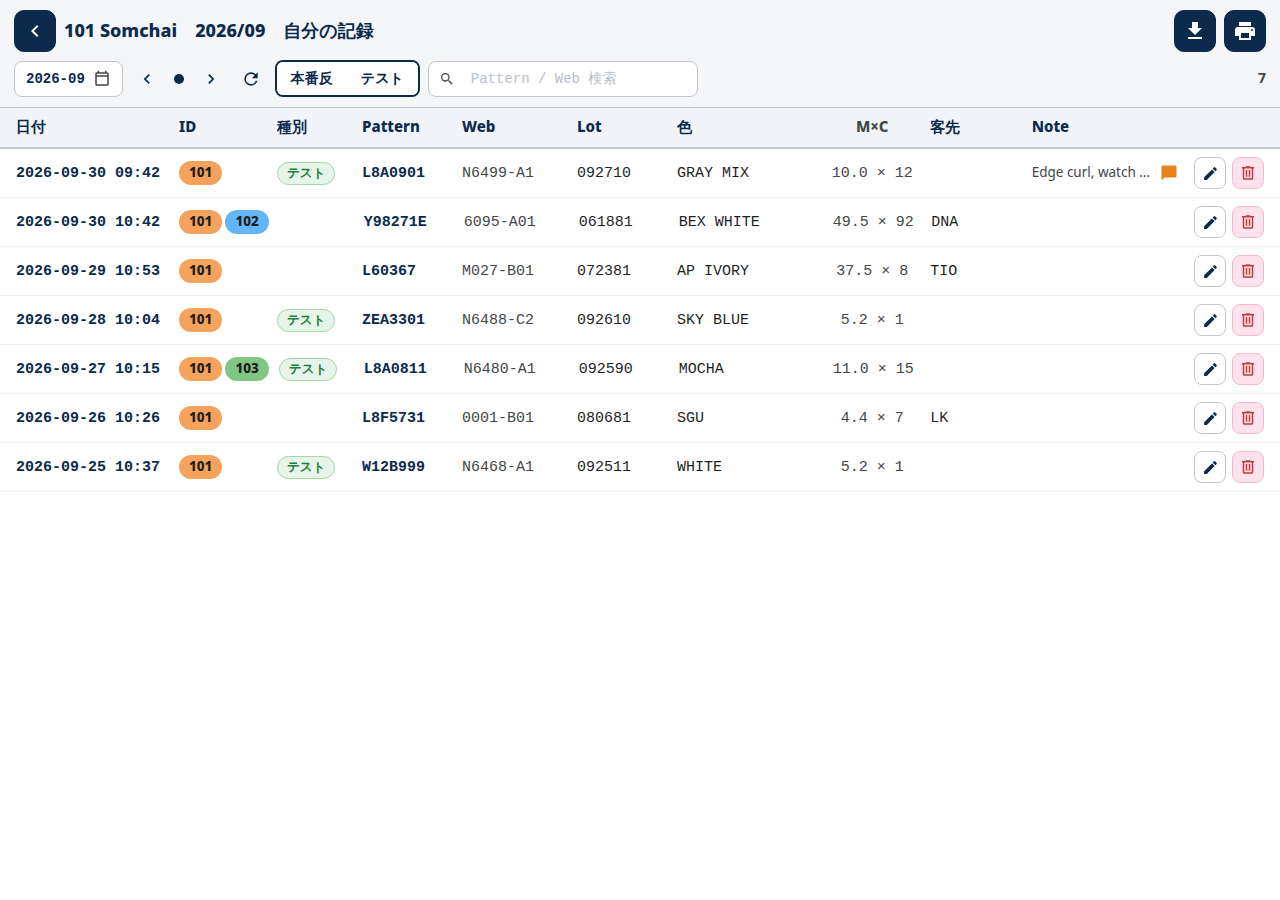
The personal history screen allows correcting and cancelling work. When several people did the same job, their IDs appear on a single row and the CSV merges those rows too. Long colour names and dates are truncated with an ellipsis and shown in full on hover. When printing, margins are kept small while pattern, web and lot never wrap.
Multilingual UI, Settings and Bundled Manual
The registration app supports Thai and Japanese, and the viewer supports Thai and English. The settings dialog is split into tabs for staff, history, storage, language and about; the about tab opens the bundled user manual and technical specification in the default browser. The manual carries a version history, and the frequently updated registration app's entries are grouped by week.
Results & Status
The registration app (v0.2 series) and the viewer (v0.1 series) are in use, and multi-stage progress can be followed on one screen using only a shared folder. Field feedback about barcode operation (duplicate handling, mixed production/trial items, staying open all day) has been folded into the specification each time. On the other hand, how much registration effort or lookup time was saved has not been measured (ongoing). Automated tests currently focus on logic, and there is no comprehensive UI test suite. Next, we plan to review the discrimination rules against real operating data.