Roll Inspection Ticket App (Successor to a Legacy Tool, Barcoded Receipt Printing)
A legacy tool rebuilt, with output matching the original byte for byte
Background & Challenges
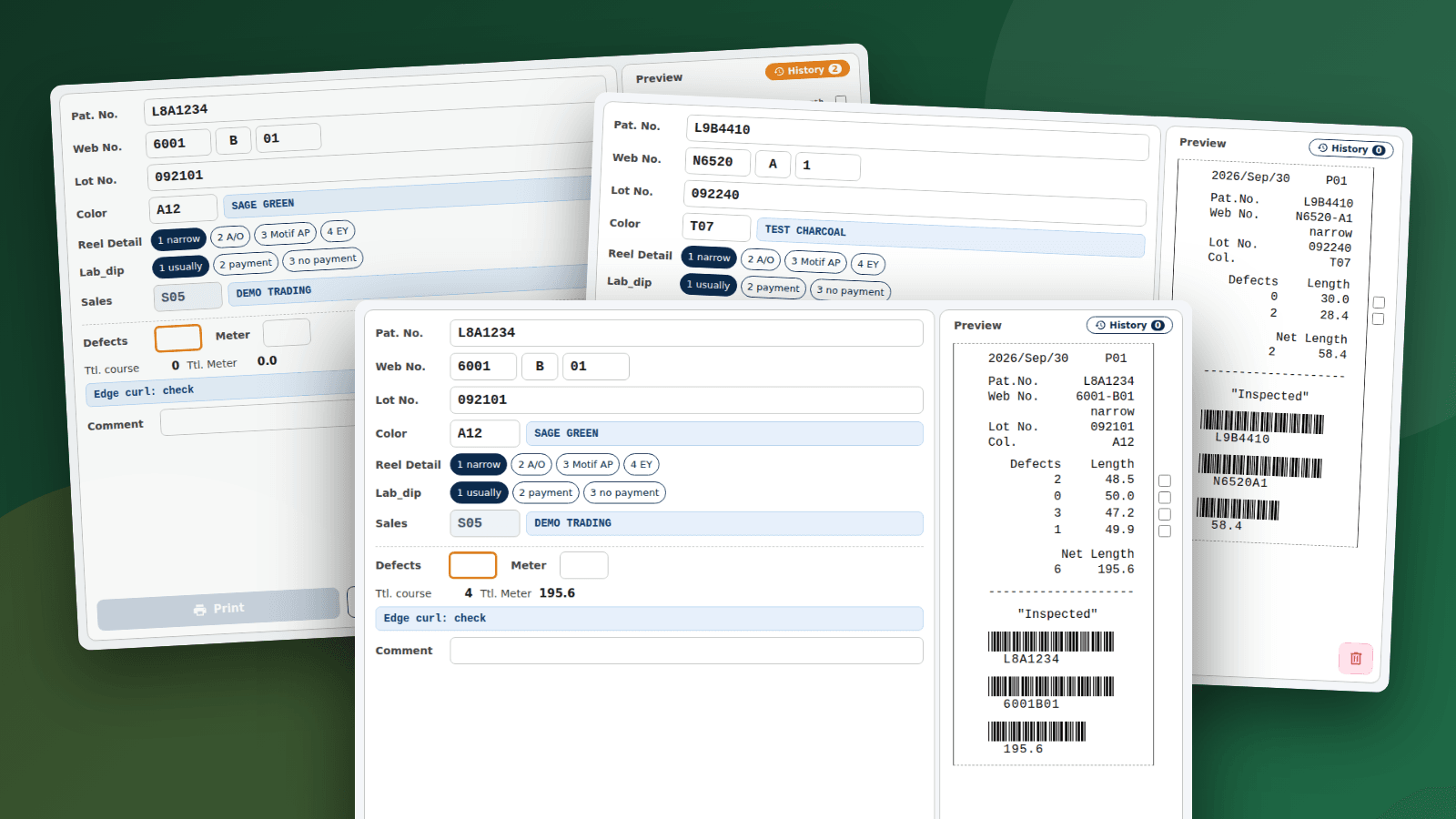
In the post-inspection step of a dyeing-and-finishing plant, inspection results per roll are printed on a ticket (receipt) that is attached to the product. The dedicated tool that issued it was an executable built on an old development platform, with little source or documentation left, making changes and PC replacements difficult. The replacement had to match the printed layout used on the floor, never write to the business database, and cope with product codes that differ between production and trial items. We analysed the original executable, wrote its specification back up, and rebuilt it as a successor app with Tauri v2 and Rust.
Key Features
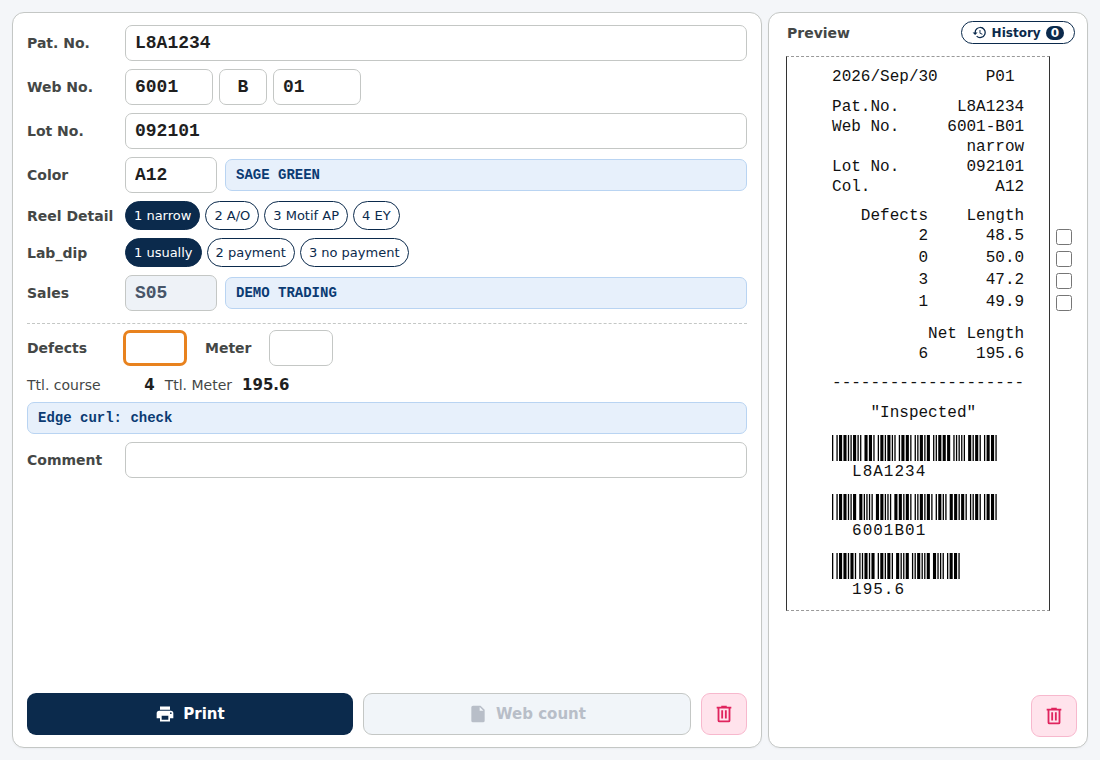
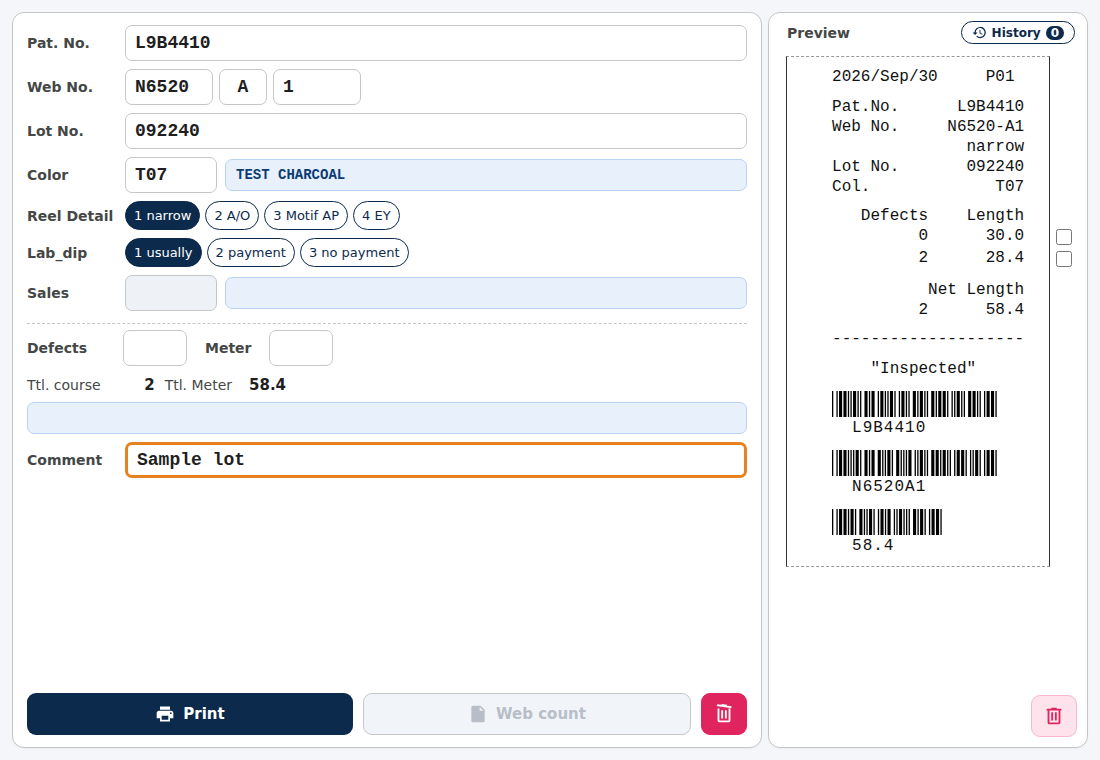
Scanning a barcode delivers pattern and serial numbers concatenated without separators; the app splits them automatically, queries the database for colour, lot and sales contact, and fills the form. The operator enters defect counts and lengths per roll plus a note, then prints. The preview on the right is identical to the printout, barcodes included. Several rolls are printed on one inspection ticket, and at the end of a lot a summary ticket lists the totals of the tickets already printed. Print history is shown in the app, and wrong entries can be selected and deleted.
Key Features: Summary Ticket
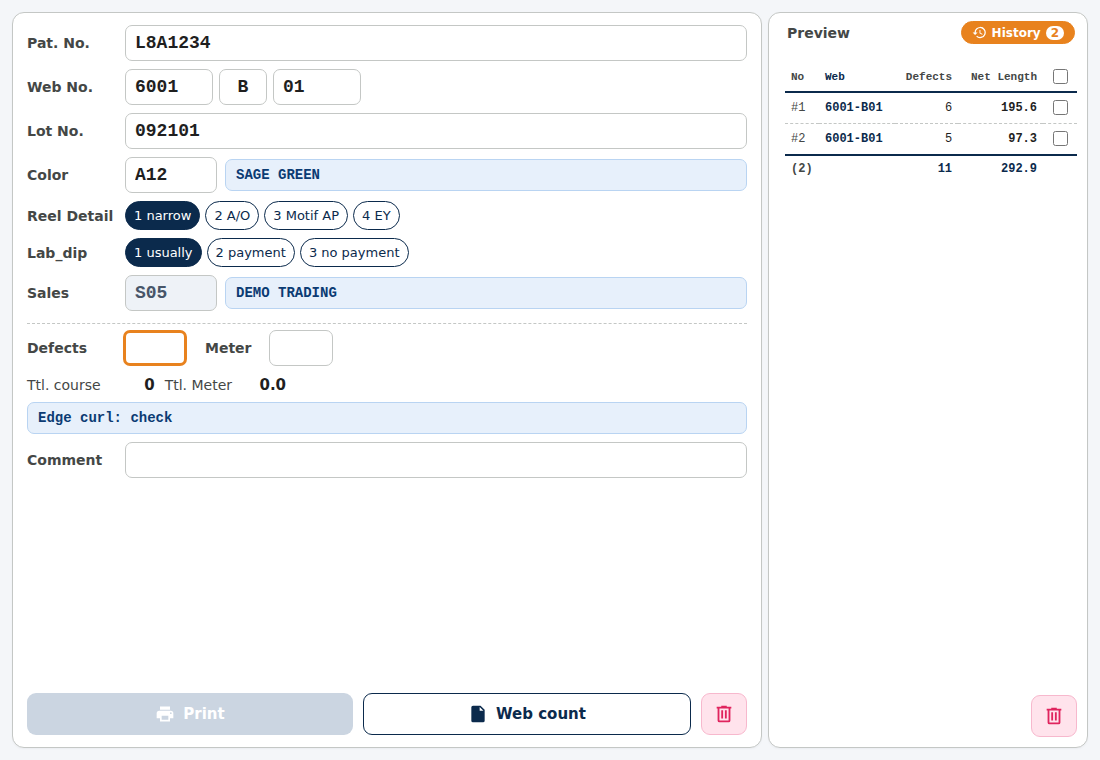
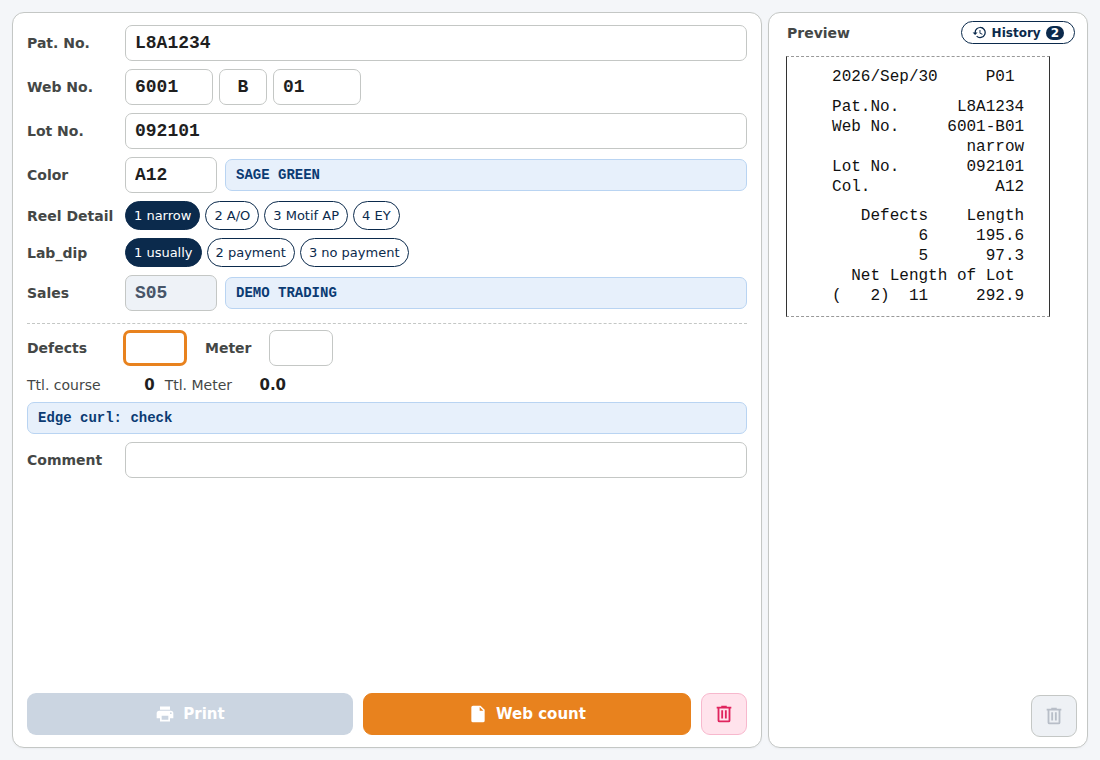
Hovering over the summary-ticket button previews the ticket in place. Each row is the defects and length of one inspection ticket, followed by the ticket count and grand total. Nothing is confirmed back to the database; printing alone completes the flow, so existing business data is unaffected.
Architecture & Technology Choices
The app consists of a Tauri-independent Rust library (scan-string splitting, SQL generation, ticket formatting, input validation, CSV export), a Tauri backend for Windows machines, and a plain HTML/CSS/JavaScript front end. Because the core is independent of UI, printing and databases, its unit tests run on a Linux development machine. Database access and printing go through the PowerShell that ships with Windows (OLE DB for production, ODBC for trial, GDI for printing). This avoids custom drivers and keeps the distribution small, but exposes the app to external-process failures and version differences, which is why hardening (below) continues.
Engineering: Production vs. Trial Auto-Detection
Product codes mix production and trial items. Checking roughly twelve thousand historical records showed that the digit count of the serial number (4 for production, 5 for trial) separates them without a counterexample, so the source database is switched by that rule. Since barcodes have no separators, we also wrote a splitter that uniquely derives pattern, web and course from the trailing letter and the length of the leading part. Trial items have no dedicated colour-code field; sometimes the code is embedded in parentheses in a processing-description string, sometimes not. When present it is extracted; otherwise it is treated as not found and entered by hand. This rule depends on naming inconsistencies on the floor and is still being tuned against real data (ongoing).
Engineering: Golden Tests Against the Original Ticket
Tickets are 20-column fixed-width plain text, and misalignment directly affects readability on the floor. Real tickets produced by the original tool are stored as templates, and automated tests check that the new formatter matches them byte for byte (both with and without a customer colour). There are 27 tests for the pure logic and 17 for the app, so regressions are caught on every change. Barcodes are drawn on screen for the preview and by PowerShell for printing. This double implementation means the on-screen look and the printed result could drift, so checks on real printers continue alongside daily use.
Engineering: Resilient Printing and Storage
PowerShell-based steps stop if a needed script is missing or damaged. We added self-healing of the scripts at startup, containment of internal panics with an on-screen notice, normalisation of the PowerShell 5.1 date format, and hardened parsing of JSON replies. CSV files are written to a temp file and then swapped in, and the device-ID file is recovered from a backup copy if damaged. We also added a feature that appends a stage-completion event to a shared folder when printing succeeds. It only appends, and a failure there never affects printing itself. A note field was added too, so the viewer app can show print history and comments.
Results & Status
As the 0.3 series, the app prints tickets and summary tickets for both production and trial items, and print history flows to the viewer through the shared folder. The database stays read-only and no business data is written. How much working time changed after the switch from the old tool has not been measured yet (ongoing). The Windows-specific parts (printing and DB connections) cannot run in the development environment and are outside the unit tests. Next, we will keep adjusting the discrimination rules and hardening as naming inconsistencies and exceptions appear on the floor.