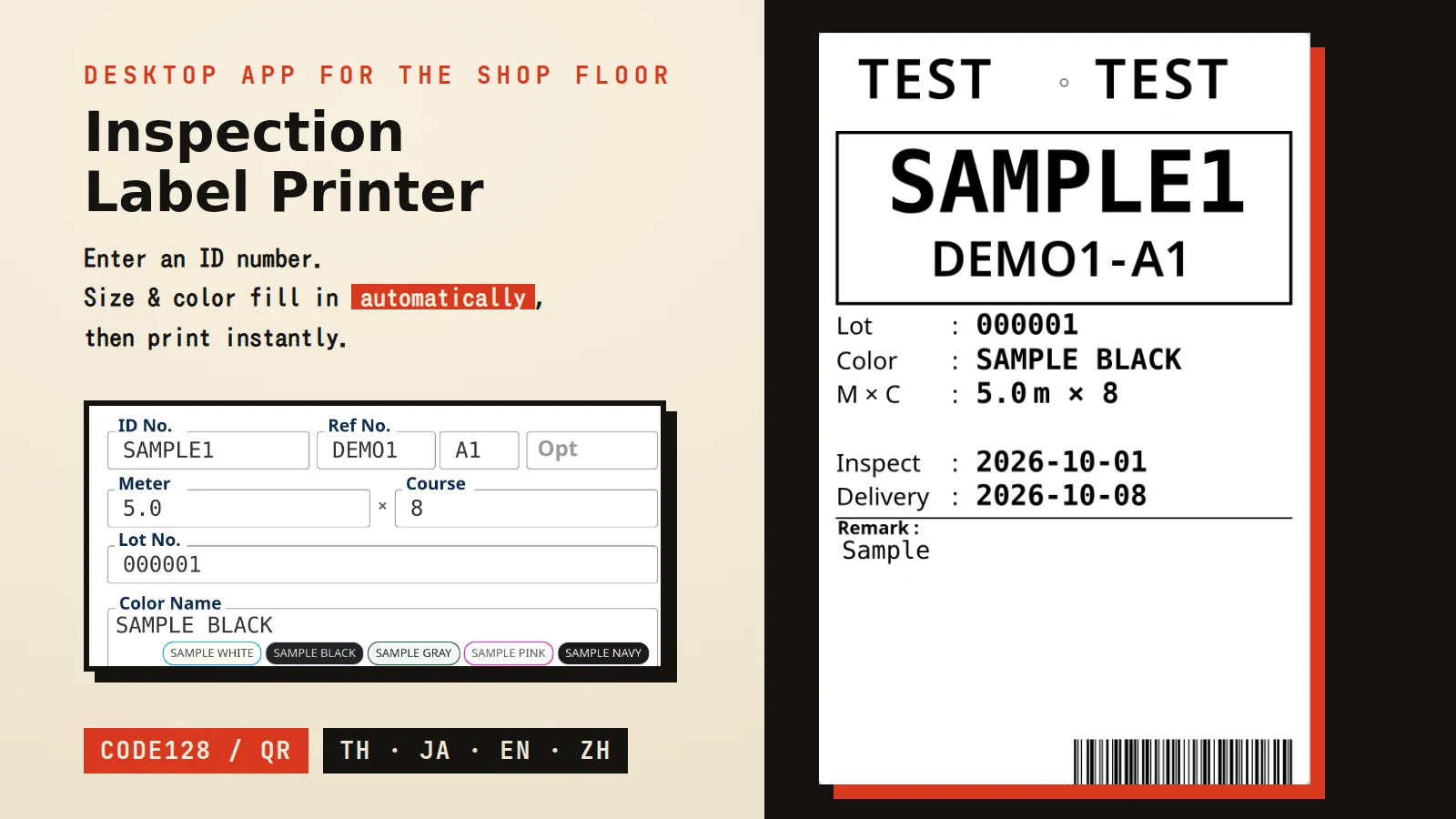
Fabric Inspection Label Printer

From model and serial number to a printed label in seconds

4
Languages Supported
3 Generations
Automatic Backups
Multiple
PCs in Daily Use

INFORMATION

SKILLS: Tauri v2, Rust, Vanilla JavaScript, HTML/CSS, SQL Server (ODBC via PowerShell), SATO SBPL


Link: Private


CREATED: 2026-05-25


PROJECT DESCRIPTION

A desktop app for the fabric-inspection line of a textile finishing plant in Thailand, built to speed up creating and printing fabric labels. Typing in a model number and serial number auto-fetches width, pattern-repeat (the repeating unit length of a printed design) and color-code data from the in-house database, then prints a label carrying the company's corporate colors, together with a barcode or QR code. Built by working through real shop-floor problems — smudged prints, a data-loss incident — one at a time, it now runs daily across multiple PCs.

Background


Creating and printing the labels attached to fabric after inspection was a mostly manual process that leaned on individual operators' experience. Width, pattern-repeat and color-code values had to be looked up per model from ledgers or an Access file and typed in by hand, which invited mistakes and duplicated work. The label also had to carry a barcode or QR code that a downstream system would scan, so print quality and code format needed to match real shop-floor conditions.

Key Features


- Entering just a model/serial number auto-fetches width, pattern-repeat dimensions and processing details (lot, color, meter, remarks) from SQL Server - Color code lookup from a typed color name, tolerant of spacing/case variations - Selectable barcode (Code128) or QR code embedding for a downstream scanning system - Batch printing of small labels used for burst-strength testing - Unlimited print-history retention with CSV export, plus automatic export to a shared folder for another system - Thai / Japanese / English / Chinese language support - Printer path, label field order and other settings consolidated into one screen

Technical Approach


Color-code lookup originally shipped as a static config file, but re-distributing it every time a color was added or changed didn't scale, so it was switched to querying the database directly. Barcodes were first rendered by rasterizing the whole label and sending it as an image, but the shop floor reported barcodes that sometimes couldn't be scanned; the cause turned out to be thin bars getting lost during image binarization. Barcodes are now drawn natively with the printer's own SBPL commands, which stabilized print quality. Separately, a print-history file was once corrupted on one machine and its data lost — tracing it back revealed a design flaw where a failed read was silently treated as empty data and then overwritten. The fix added pre-save validation, a 3-generation automatic backup, quarantining (never deleting) corrupted files, self-healing recovery from backup, and a manual recovery path from the shared-folder CSV, so a similar incident no longer has to stop the line. A related issue where settings (like the shared-folder path) vanished after restart on some machines, traced to the browser's local storage being cleared, was resolved by mirroring settings into a config file as well.

Outcome


The app now runs daily across multiple PCs, keeping print history indefinitely while staying automatically in sync with another system through the shared folder. The backup and self-healing mechanisms built after the earlier data-loss incident mean a similar failure can now be recovered without stopping floor operations. A user manual and a technical spec sheet, styled to match the app itself, were written alongside development and continue to be updated as feedback comes in from the floor.