Localization Browser Extension for an In-house Web System
Native-language screens from a glossary, without touching the system
Background & Problem
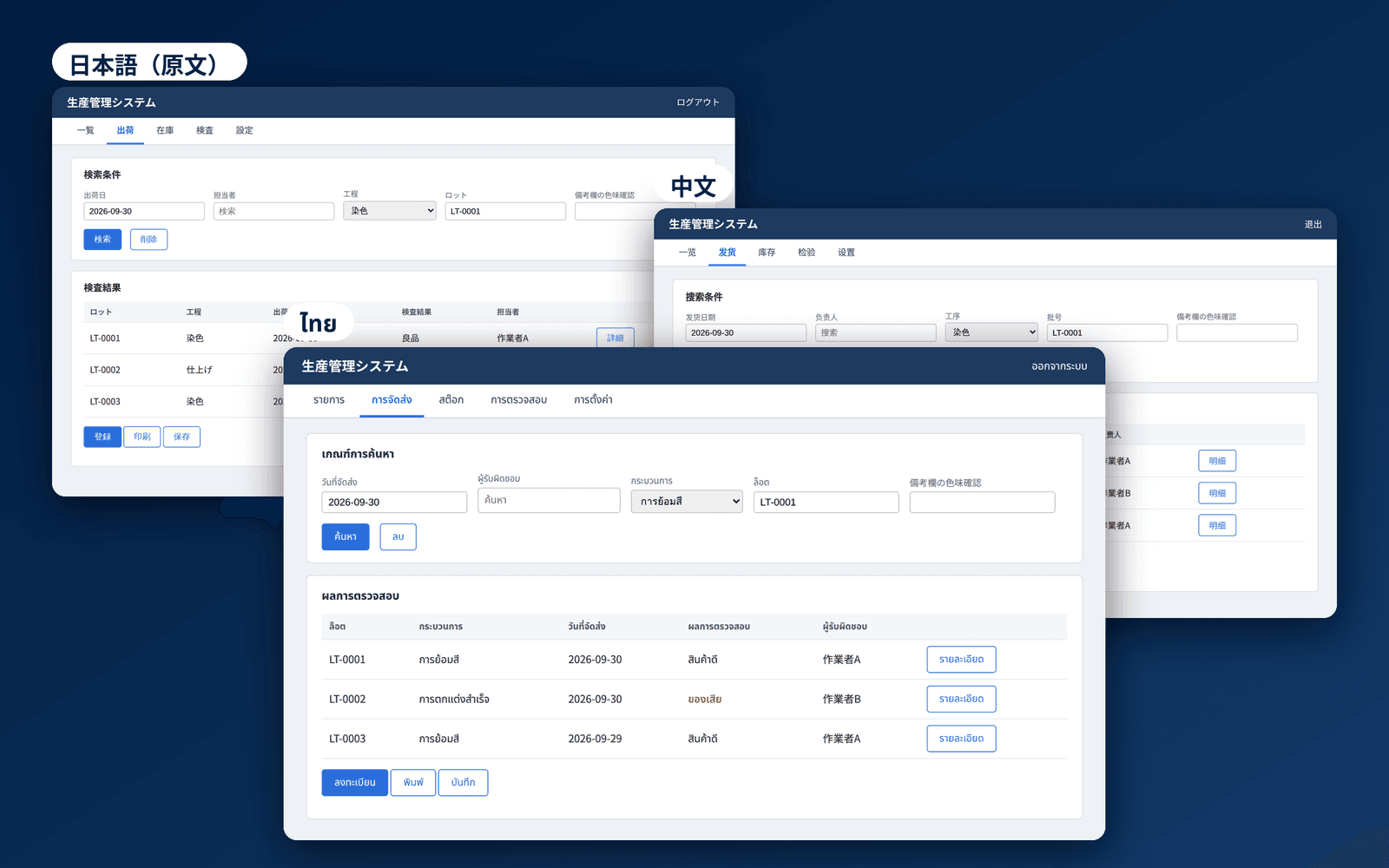
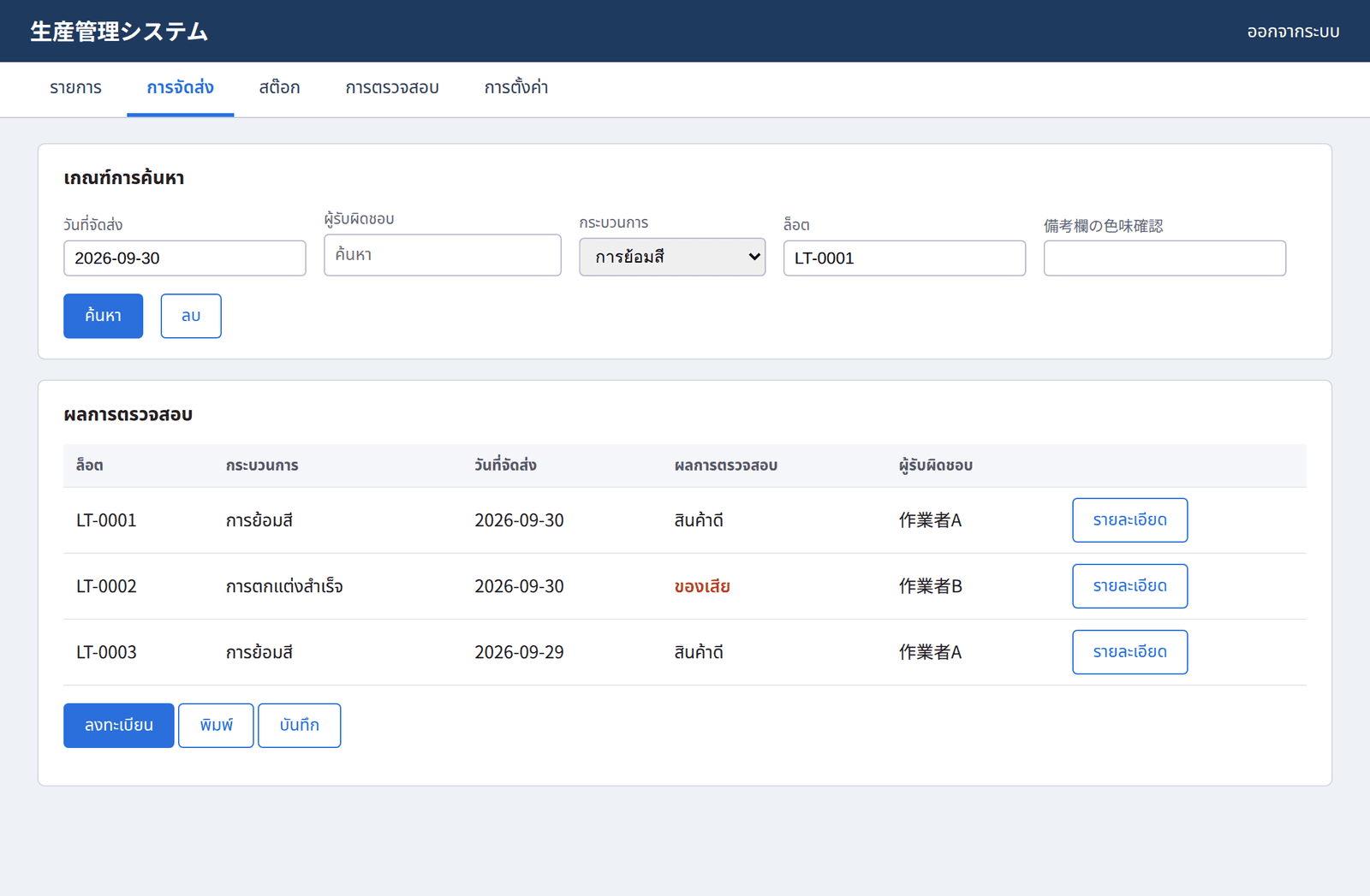
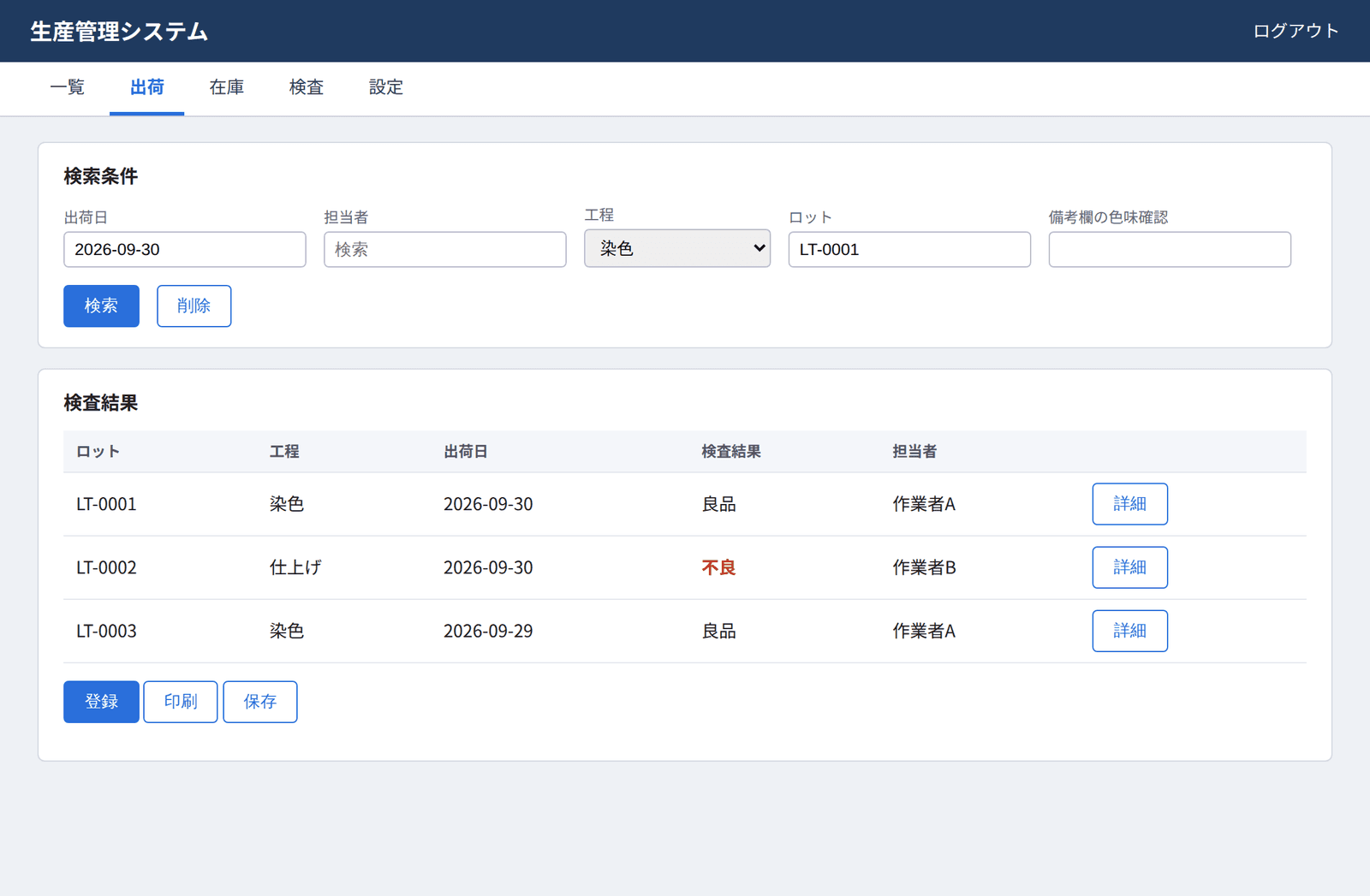
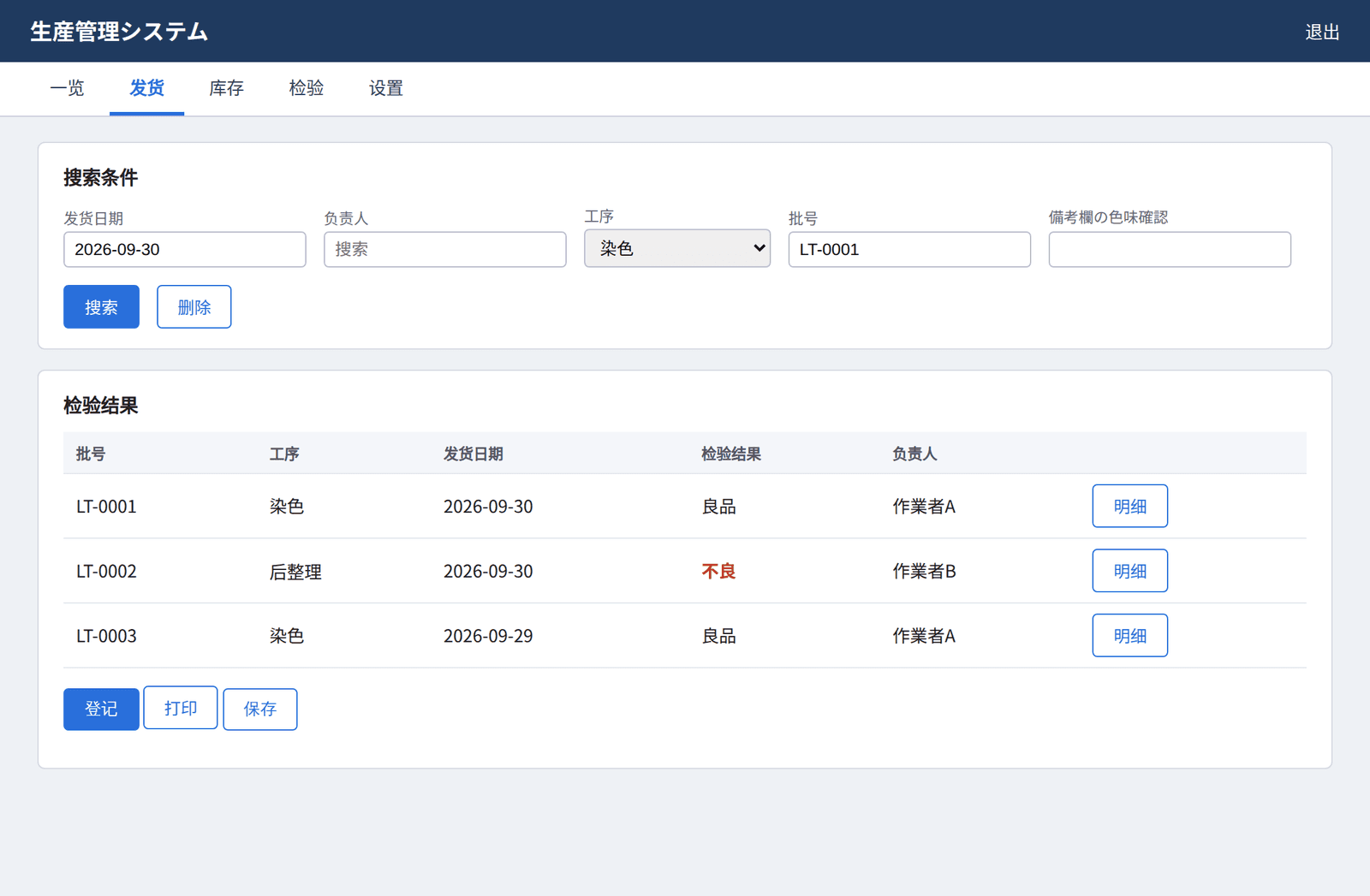
The in-house web system for manufacturing is mainly in Japanese. Even the English mode, written by non-native speakers, has many spelling inconsistencies. There are about 290 screens across departments and functions, and many users speak Thai, so some operated screens whose meaning they could not read. Localizing the system itself was not an option, so I built a browser extension that rewrites screens on the user side. I started from the idea of a translation extension (TWP), but machine translation corrupted strings on screens full of model numbers and abbreviations, and the same term came out differently from run to run. I changed course to glossary-based replacement.
Key Features
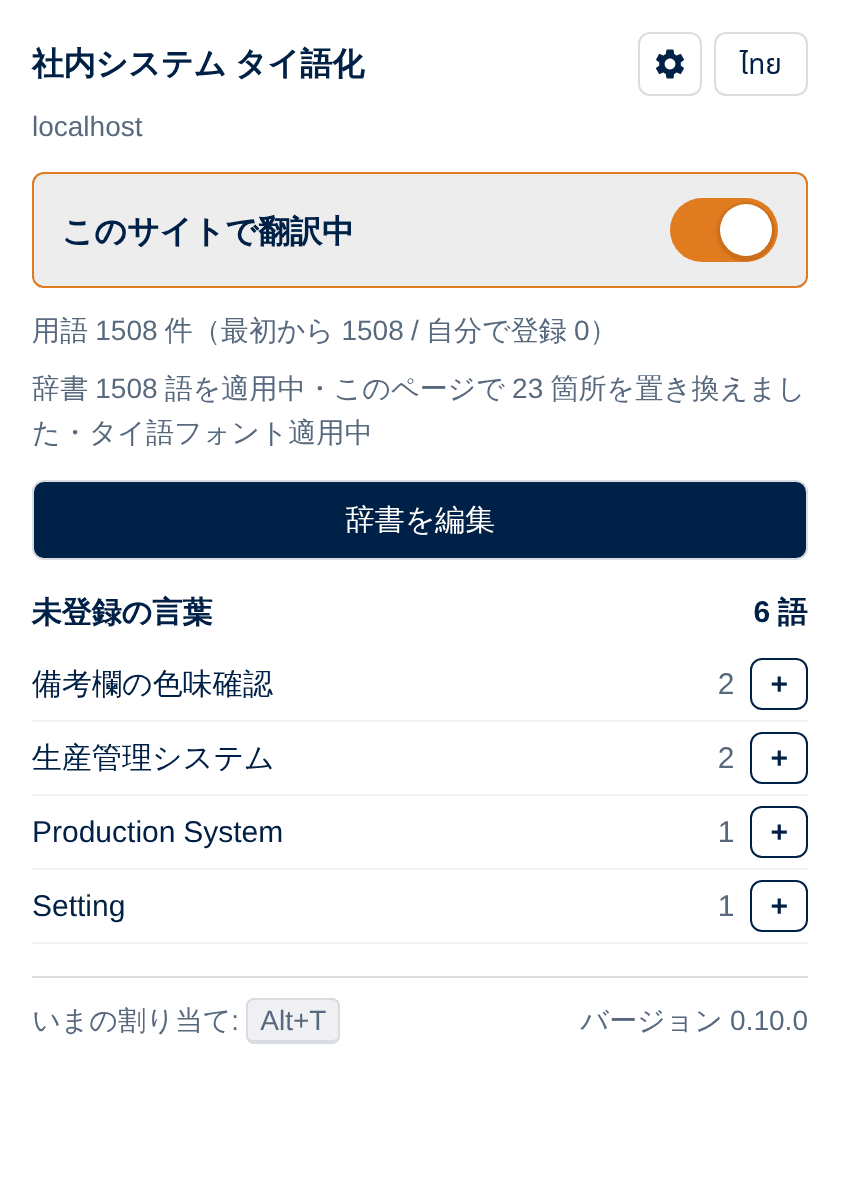
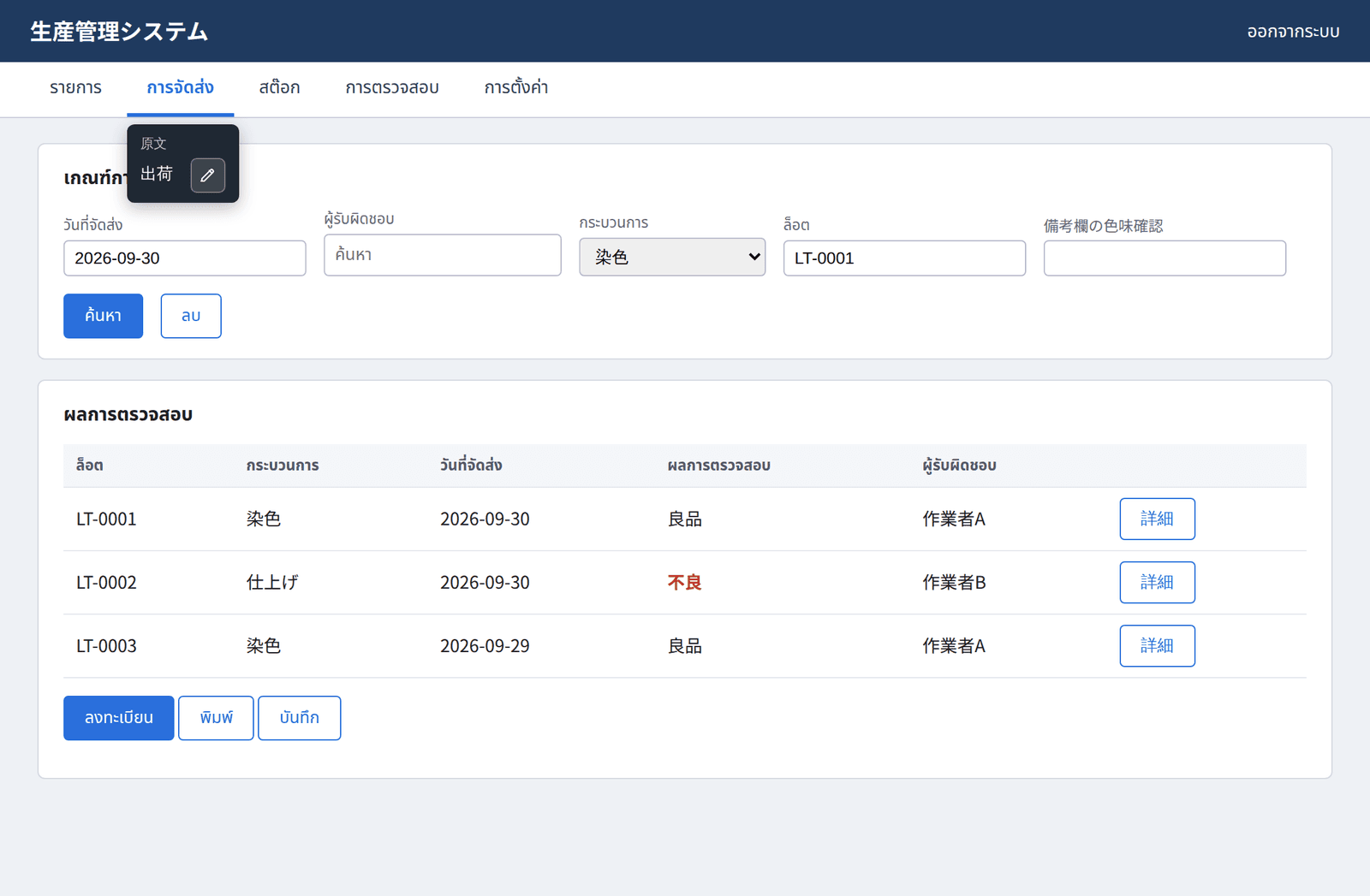
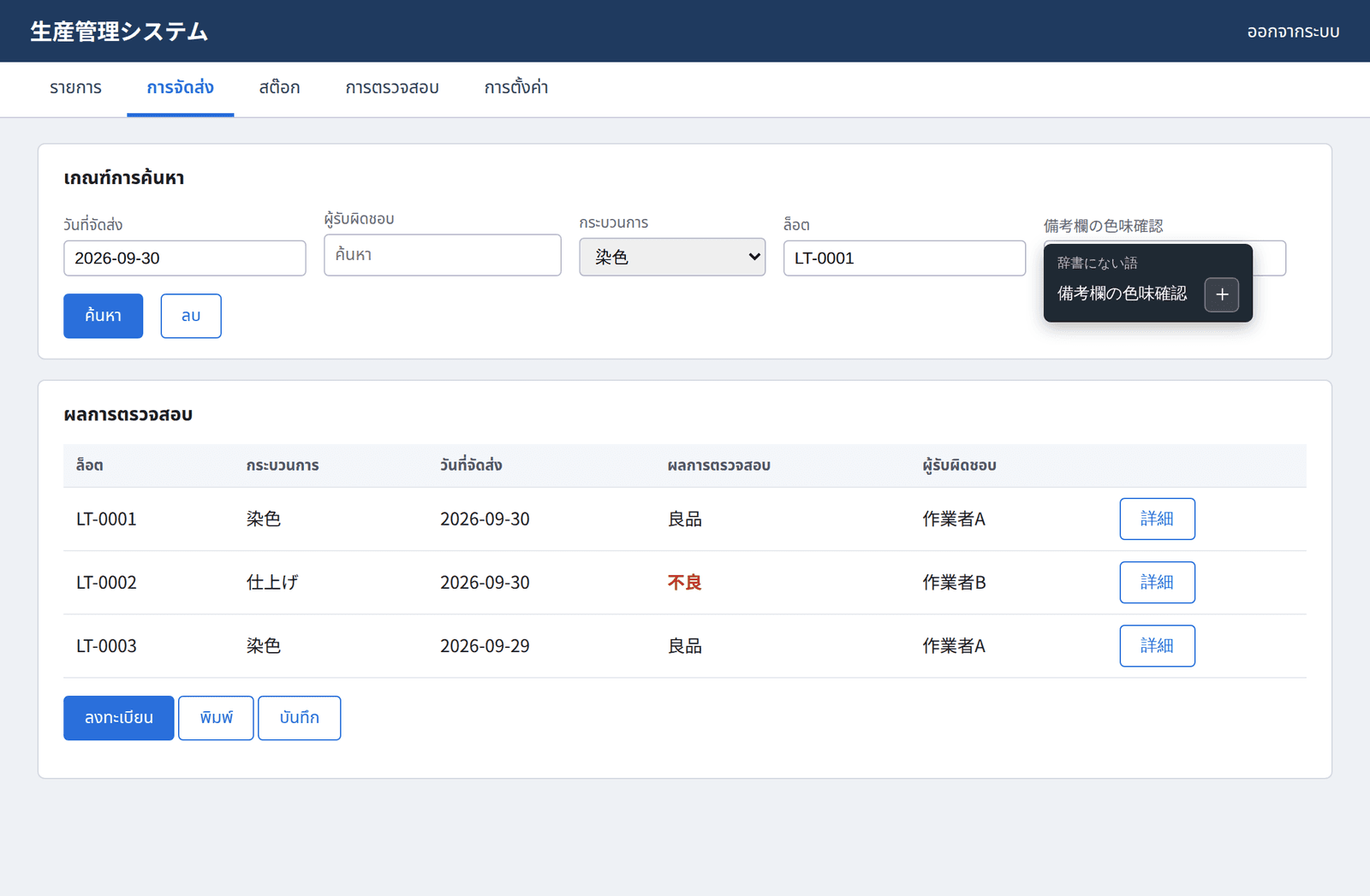
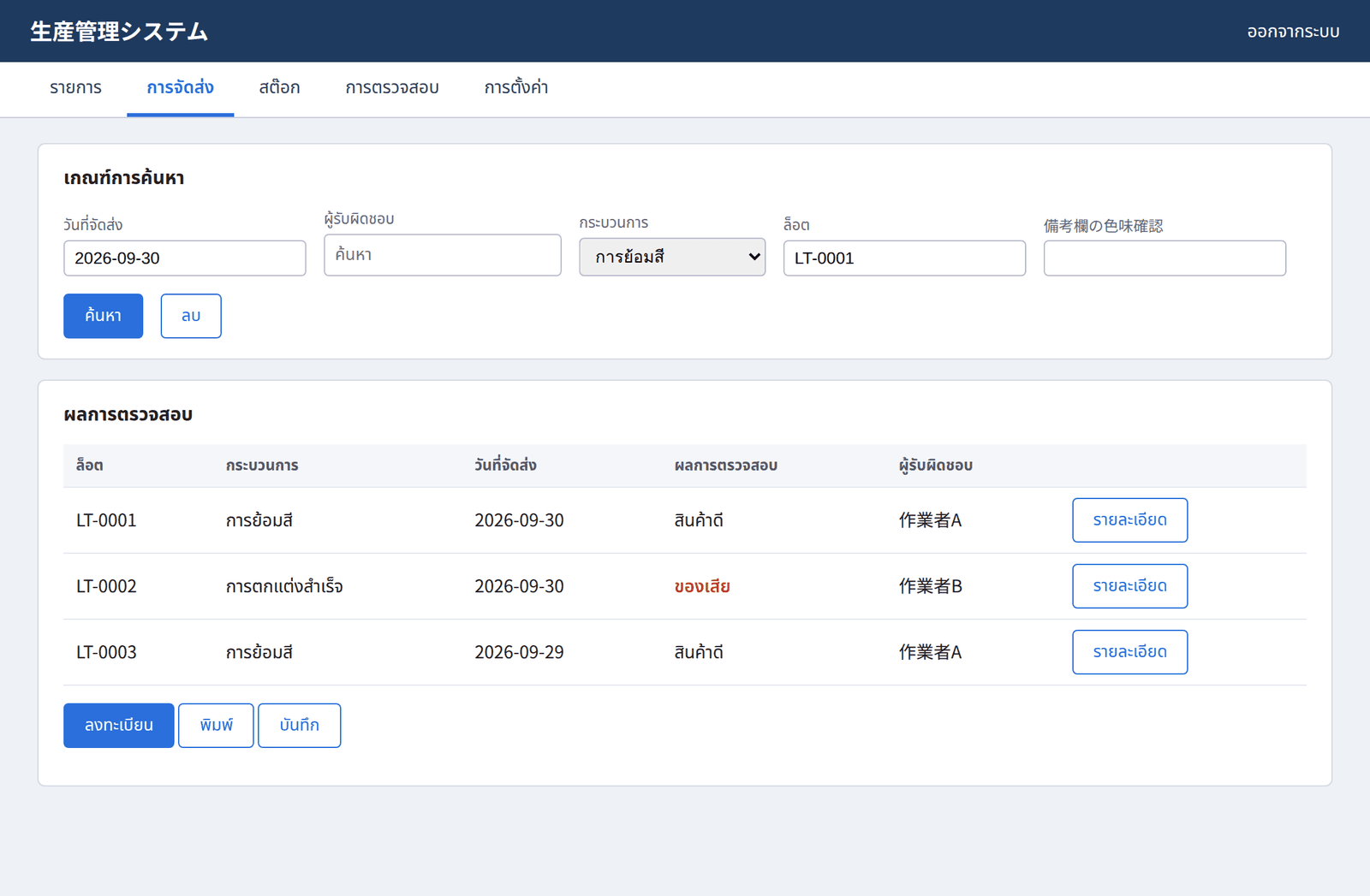
Replacement happens only when the entire displayed string matches a glossary key. Partial replacement mixes Japanese and Thai in sentences with particles, which is harder to read than the original. Unknown strings stay as they are and are collected in the popup, sorted by frequency. Hovering over a translated string shows the original in a tooltip, so users can verify a translation and talk about a screen with Japanese-speaking colleagues. On an unregistered string the tooltip opens the registration screen directly. Alt+T switches between translated and original, and the extension only runs on the in-house domain.
A Workflow Non-Programmers Can Run
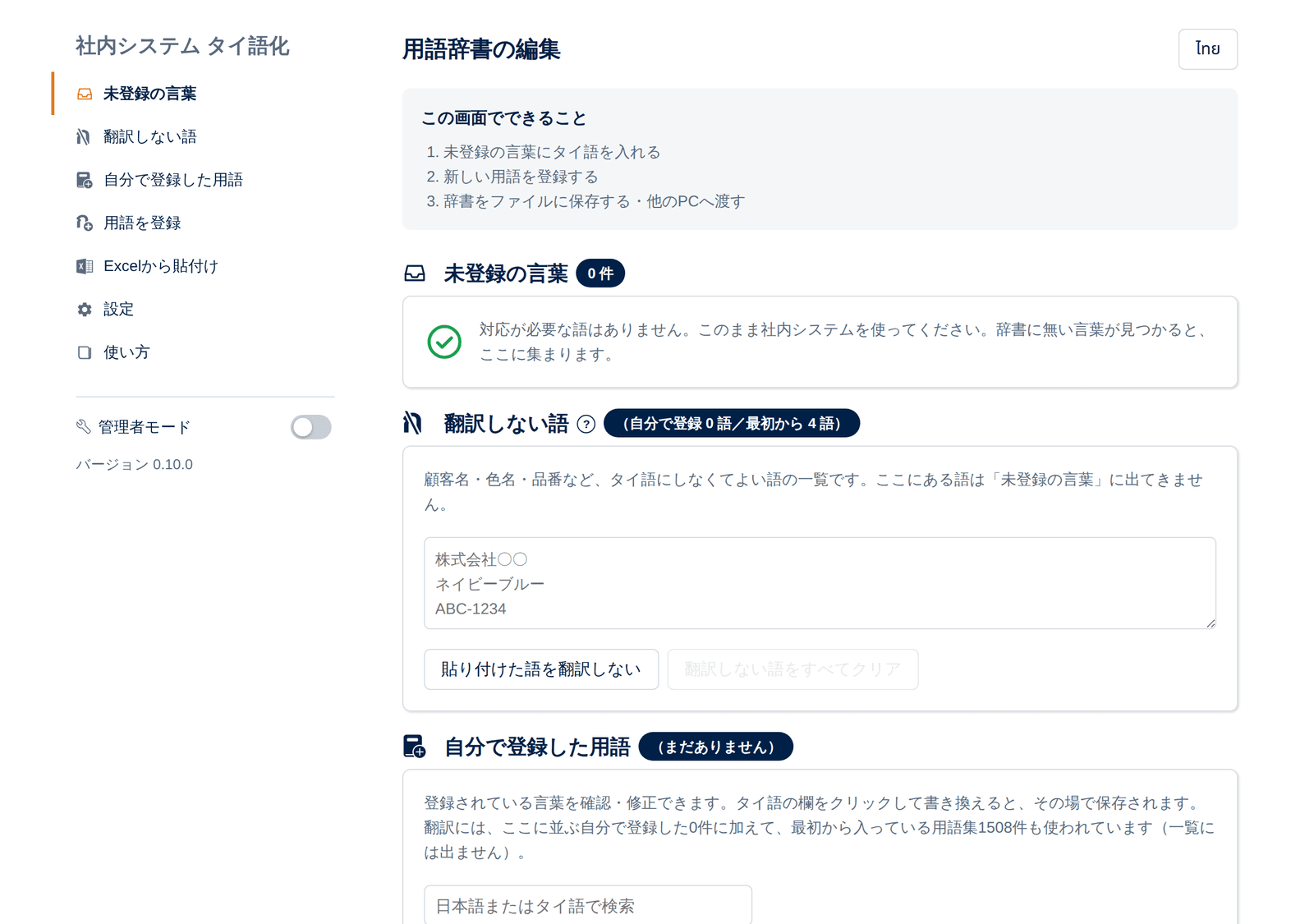
The glossary is edited by shop-floor staff, not engineers, so JSON editing is not the main path. Unregistered terms in the popup lead to the registration screen in one click, and tables can be pasted straight from Excel; Japanese or English is detected automatically. One administrator collects terms on a single PC and ships the glossary bundled with the extension, so individual PCs need almost no setup. Terms users add themselves take priority over the bundled glossary, so local fixes are possible.
Technical Approach & Architecture
Built with Manifest V3 and vanilla JavaScript, with no npm or bundler. Loading the unpacked folder is the whole deployment, and anyone reading the code can maintain it. The glossary is loaded as a script rather than fetched as JSON: page-side CSP blocked fetch and produced a case where the popup said translation was on but nothing changed. Thai fonts are bundled instead of loaded from a CDN, because the in-house system often blocks external traffic and the text must render offline. The Thai and Chinese editions share one engine. Language-specific values (lang attribute, fonts, glossary, UI text) live in six files; the rest is kept byte-identical and copied with a sync script.
Engineering Highlights
Replaced text and attributes are stored together with their originals, so toggling translation any number of times never breaks the page. DOM changes are tracked with a MutationObserver and only the changed regions are rescanned. On a screen with 3,200 replacements and 200 small updates, a full rescan took 5,491 ms with 1-3 long tasks; incremental scanning took 3,802 ms with none. Other measures fit real-world conditions: submit buttons with a name attribute are not translated so submitted values stay unchanged, scripts orphaned by an extension update shut down quietly, and the contents of searchable dropdowns (master data) are excluded from collection automatically. Thai text gets lang="th" and a bundled font to prevent broken glyphs, and overflowing text is detected and listed. Because keys are whole display strings, sentences with particles are handled by moving the glossary toward phrase-level keys. Narrowing the scope to individual screens within a domain is still under consideration.
Multi-language Edition & Onboarding Guide
The same engine carries a Simplified Chinese glossary and UI. Since Kanji is shared with Japanese, checking for Thai script no longer tells translated text from original, so translation is detected by matching against glossary values instead. For users unfamiliar with PCs, I wrote a five-step illustrated installation guide in Japanese, Thai and Chinese in a single file.
Outcome & Impact
The bundled glossary holds 1,508 entries (608 Japanese, 900 English) collected from real screens. The target system is not modified at all; installing the extension on a PC is enough. New terms are still being added as more screens are visited. Quantitative effects such as time saved have not been measured yet, so none are claimed.