Shipment Scan-First Verification App
Scan first, don't wait for the packing list — confirm only at zero diff
Background & Problem
Shipment verification could only start after the ERP had finalized a per-box packing list (P/L). Physical checking and reconciliation were therefore strictly sequential, operators waited on data, and the state of an interrupted job lived in someone's memory or notes. The second problem was traceability: when a wrong item slipped into a box, there was no way to see when it was scanned, so root-cause analysis was slow. I restructured the workflow itself into 'scan first, reconcile against the P/L afterwards'.
Key Features
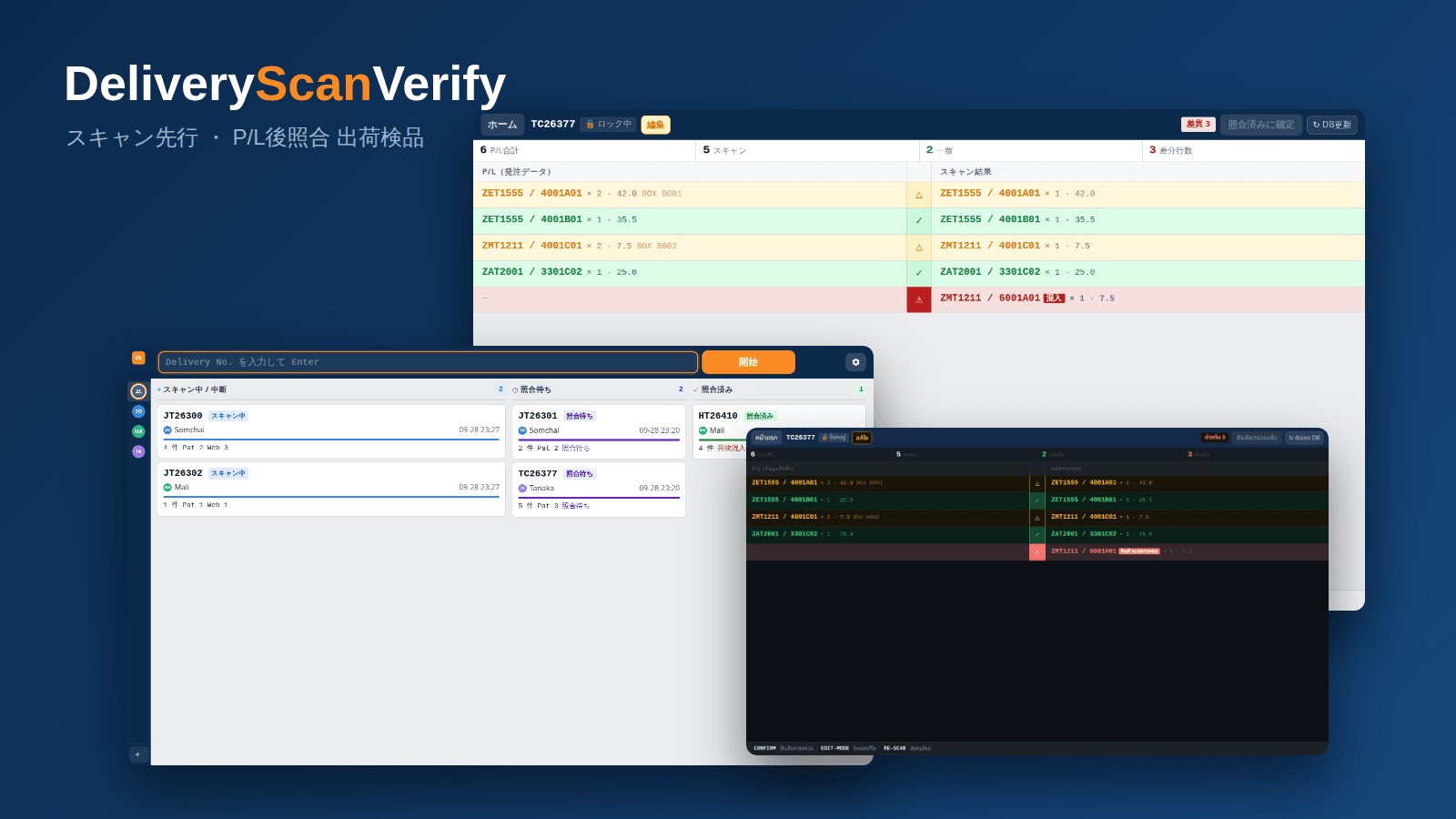
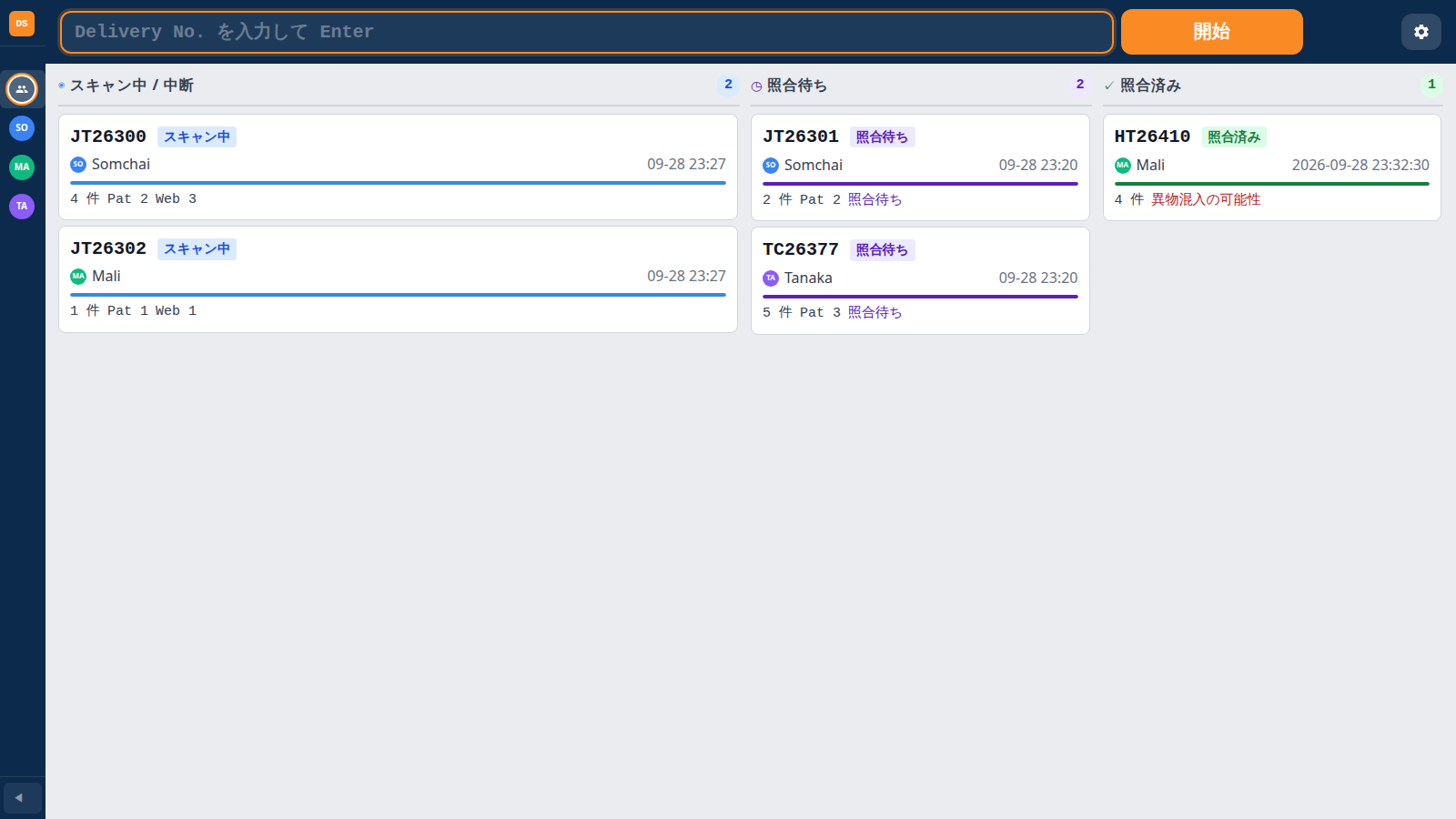
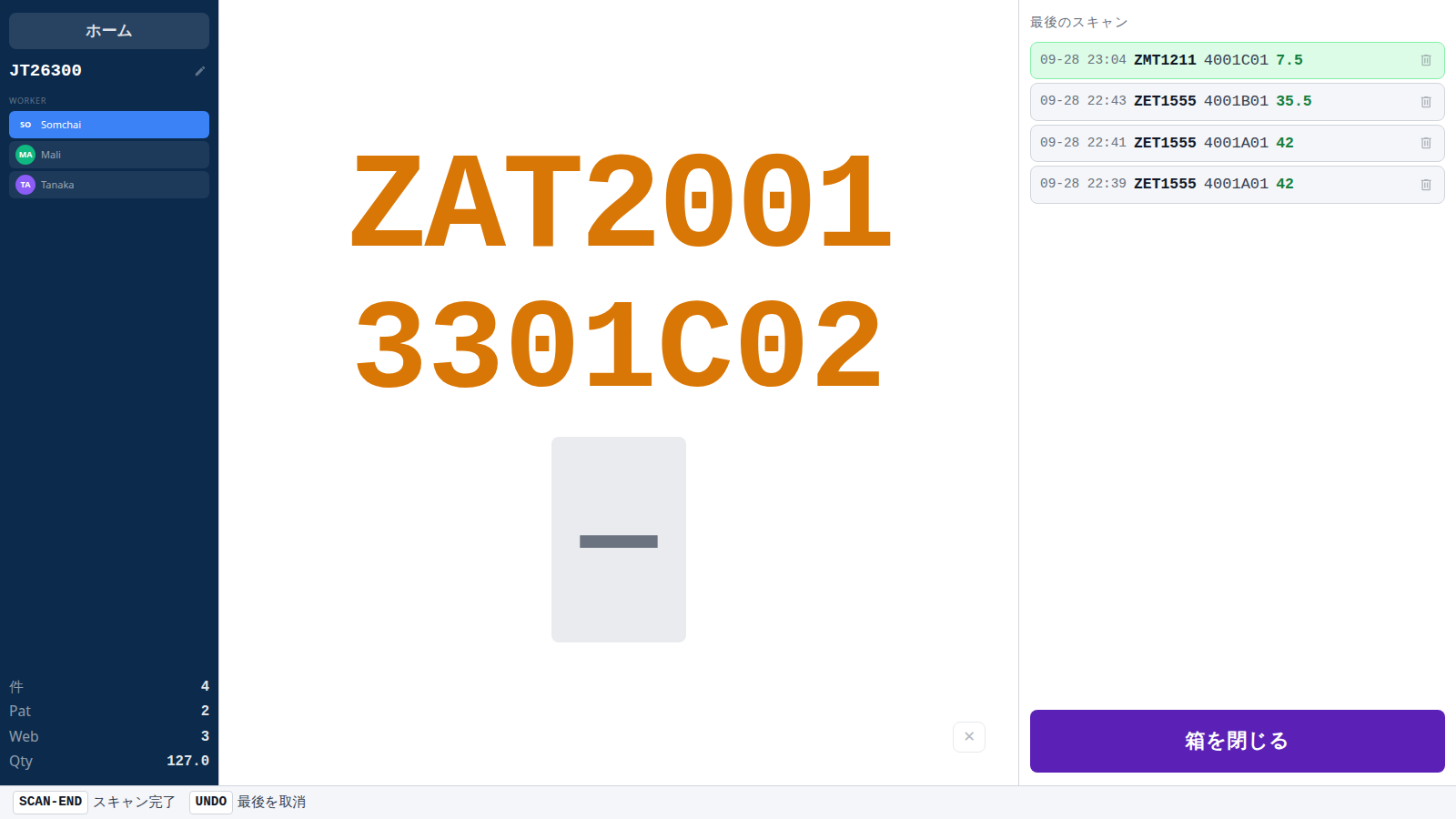
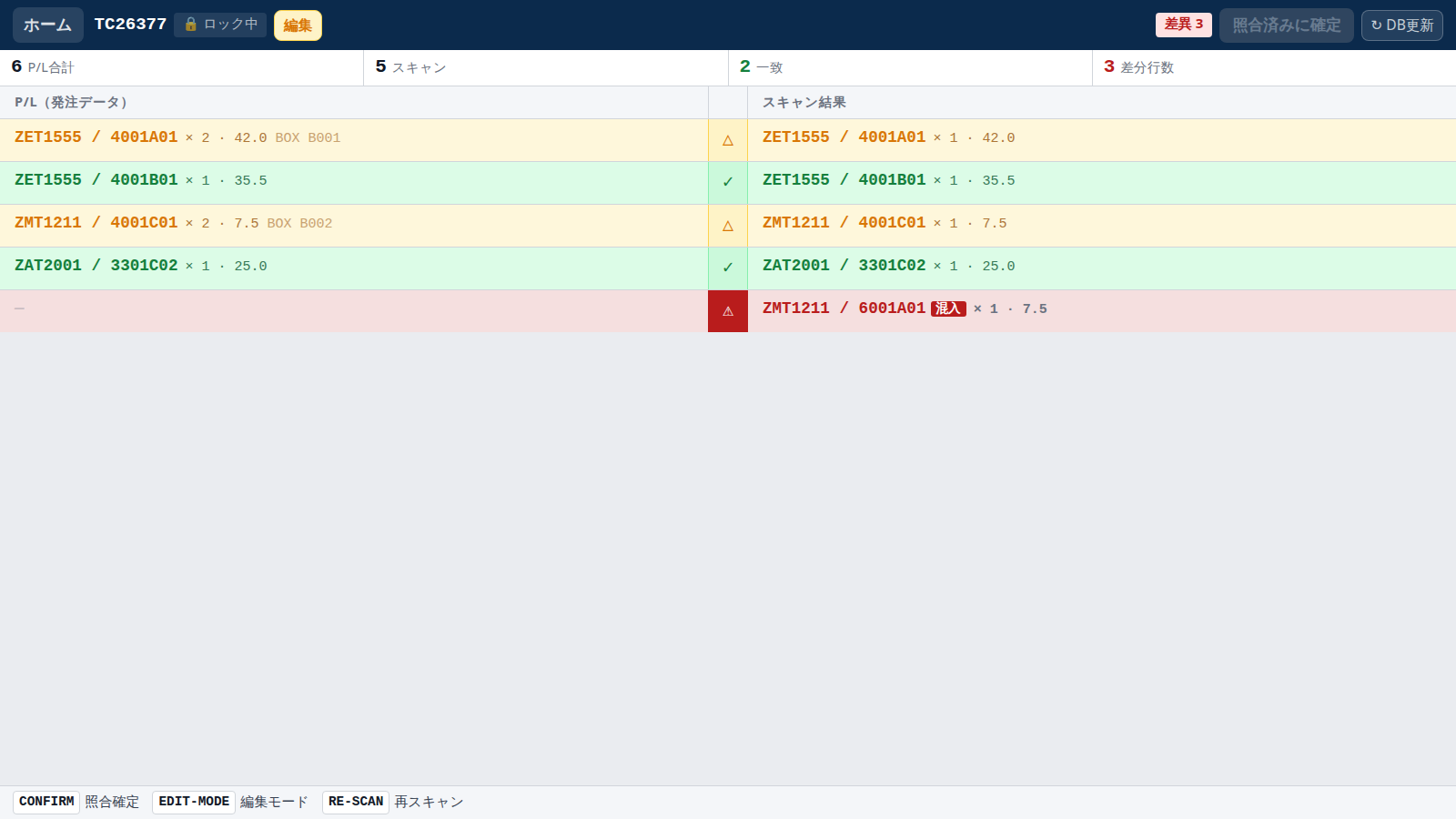
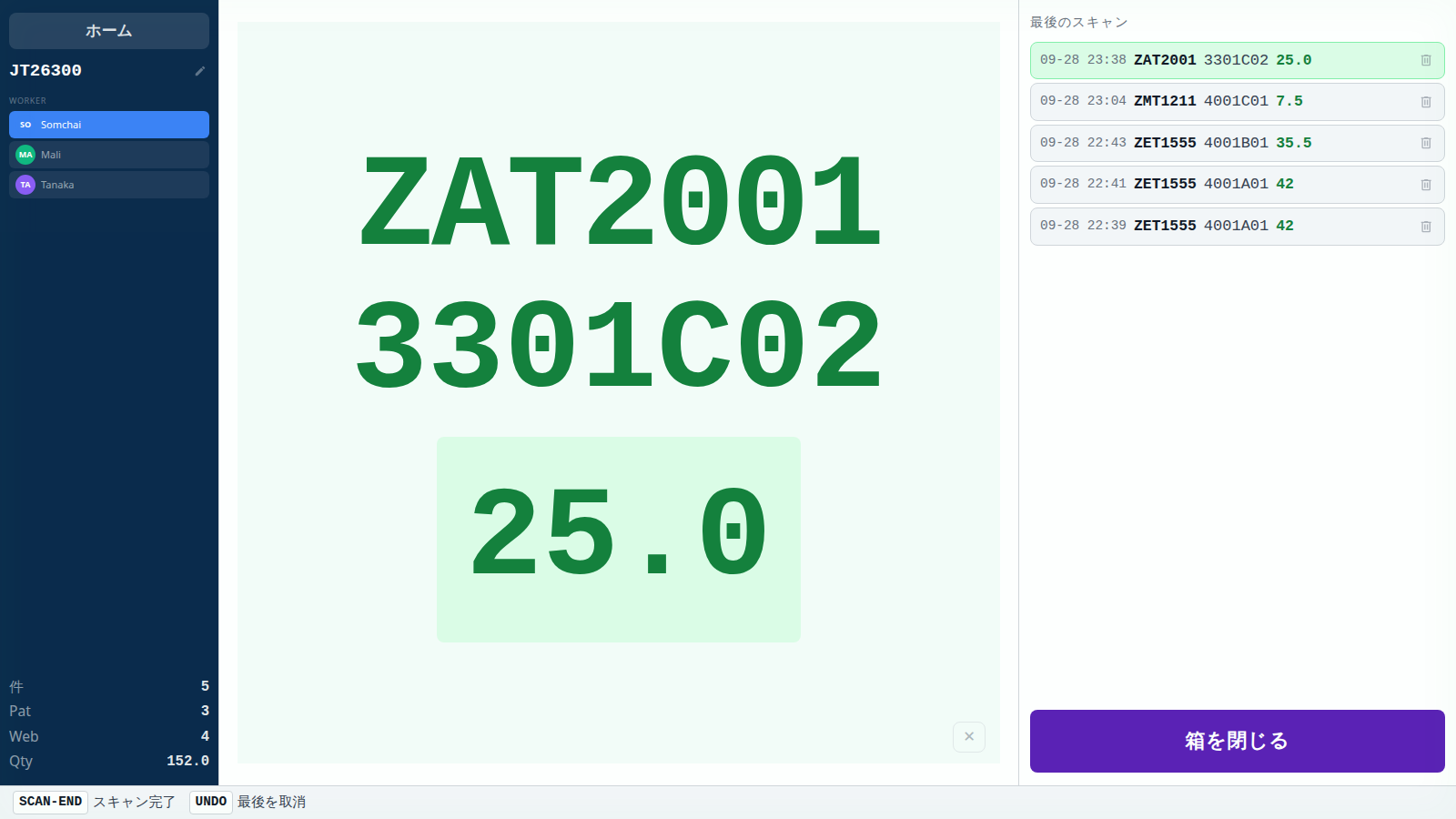
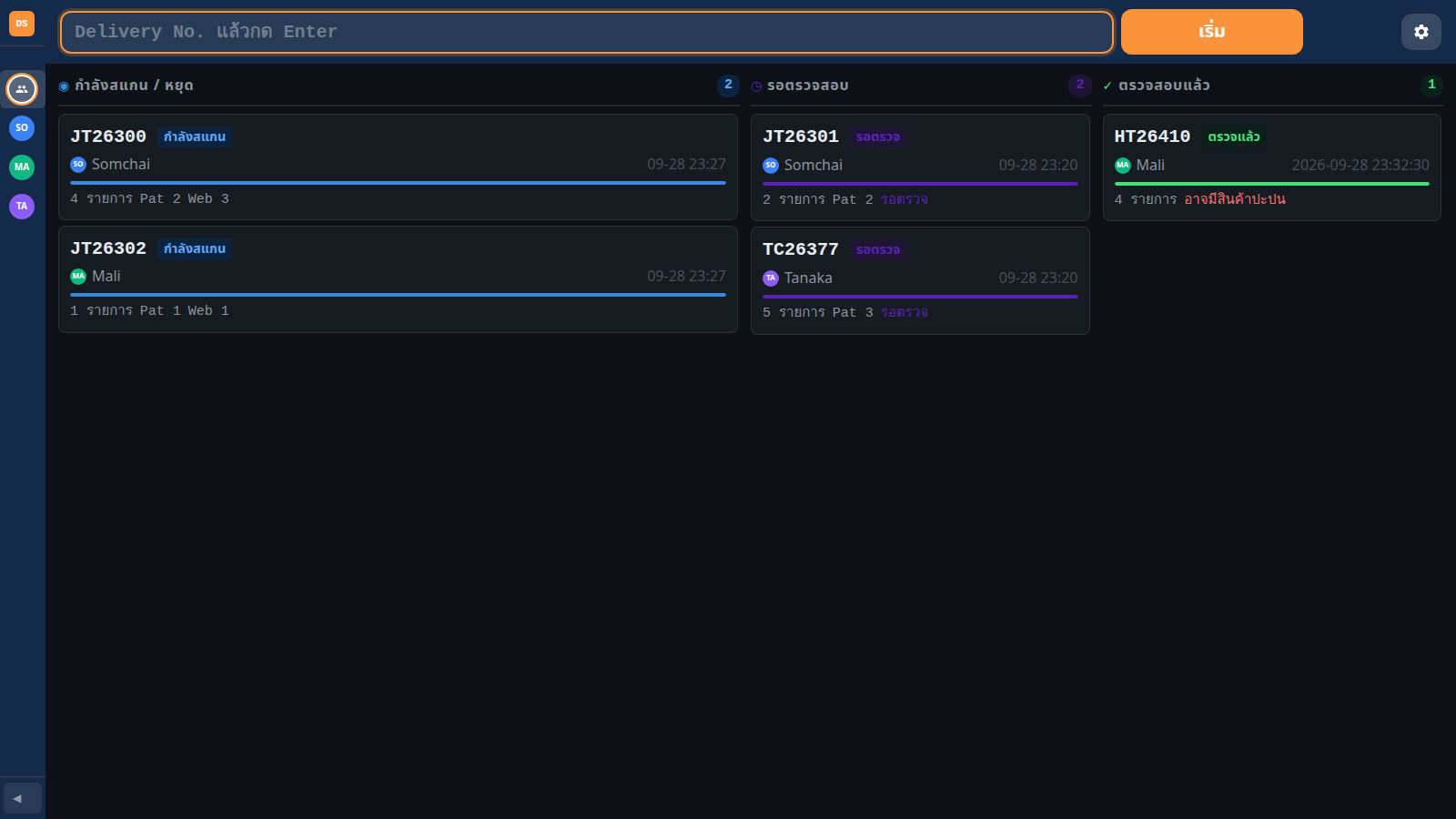
Scanning: model number, lot ID and quantity (Qty) are accepted in any order into a buffer, and committed as one line item once all three are present. The type is auto-detected by regular expressions so operators never choose it. Bad reads trigger a red flash and an error sound, and an UNDO barcode removes the last entry. State: every delivery is tracked as scanning → awaiting → verified on a kanban home screen, and a job can be handed over by dragging its card onto another worker. Verification: the P/L and the scan results are shown side by side as a diff, distinguishing matches, shortages, overages and items that do not exist in the P/L at all. The confirm button stays disabled while any difference remains.
A verification screen you can read
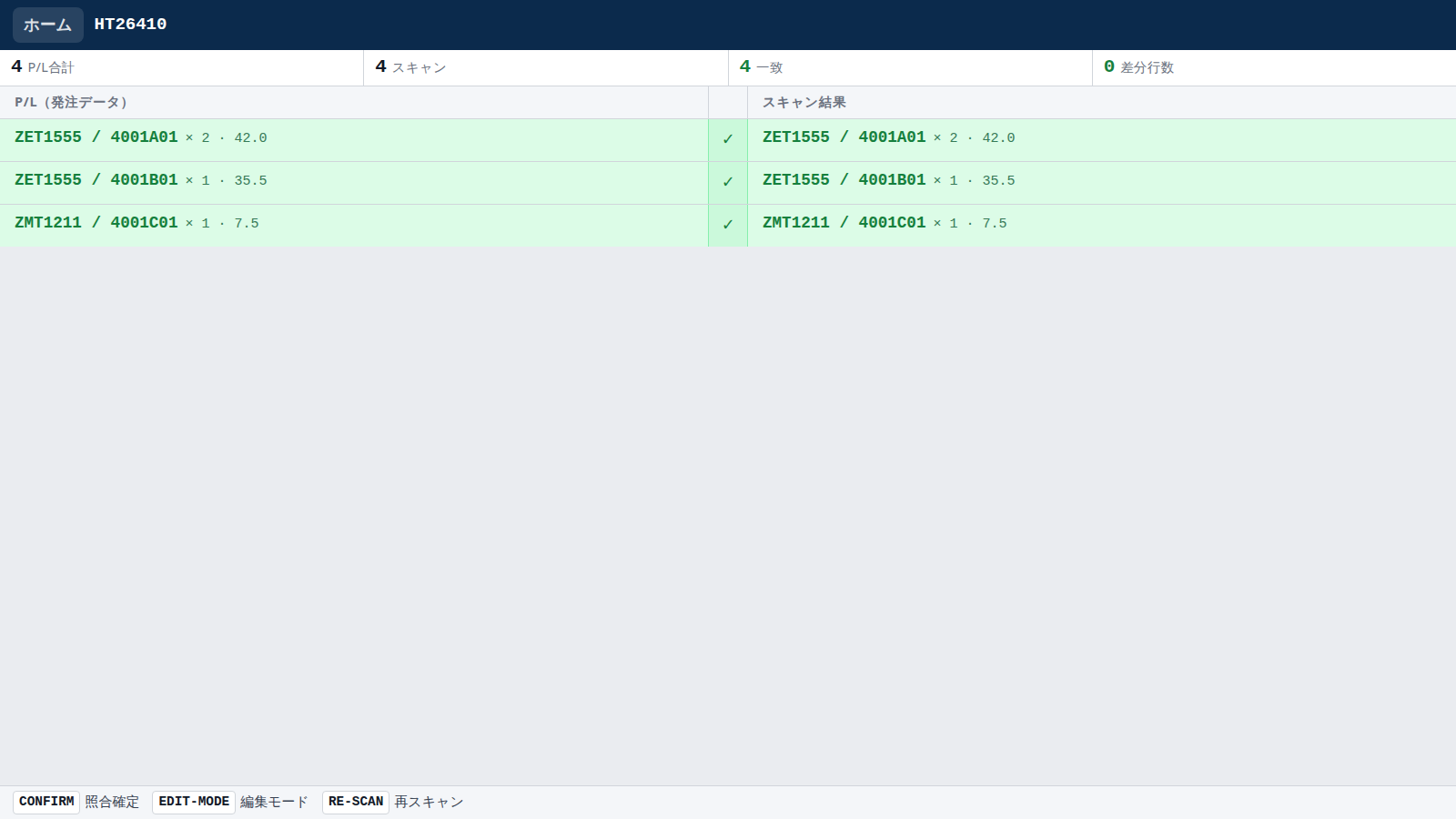
Results are rendered as a side-by-side table (P/L on the left, scans on the right, a status icon in the middle), with a dedicated badge for contaminating items. Clicking a contaminated row expands the scan timeline so you can see when it entered. In edit mode a wrong scan can be deleted in place and the diff is recomputed immediately; every deletion is recorded in an edit log.
Technical Approach & Architecture
The target was existing Windows PCs with no extra server budget, so I chose Tauri v2 (Rust + WebView2): a single small installer, lighter than Electron. The frontend is plain HTML/CSS/vanilla JS with no framework or bundler. There are few screens and all state collapses into a per-delivery session, so having no build step was the better trade-off for maintainability. Only database access lives in Rust: odbc-api reads the P/L view and the frontend simply calls it through invoke. Using the native ODBC driver means existing DSN configuration is reused as-is, and local history files can be written — both impossible from a browser alone. Because scanning never touches the database, a slow or unavailable DB cannot stall the floor.
Engineering Highlights
Scanner input: scanners behave like a keyboard that types very fast and ends with Enter. A single capture-phase keydown listener discards the buffer after 55 ms of silence, which separates scanners from human typing. Input is ignored while a modal is open, and listeners and timers are released on every screen change. Connection safety and a change of direction: connection-string values are quoted only when they contain special characters. I originally wrapped every value in braces, but some driver managers then reported the DSN as 'not registered' on production PCs, so I changed the rule to quote only when necessary. Search keys are validated for length and character set and passed as parameters, preventing SQL injection. Credentials: DB credentials live outside the source, in a git-ignored config file or the saved Settings, with Settings taking priority. The app still starts if the file is absent. Still improving: minor defects found in code review have been fixed continuously, and handling of unusual input patterns is still being hardened in operation.
Thai / Japanese and Dark Mode
Users are a mix of Thai-speaking floor staff and Japanese-speaking managers, so the UI is fully bilingual. The dictionary is key-based and is also used for dynamically built toasts, dialogs, diff labels and error messages, eliminating mixed-language screens. A dark theme keeps the scan flashes visible under varied warehouse lighting.
Outcome & Impact
Separating scanning from reconciliation lets inspection continue without waiting for the ERP to finalize the packing list. Because confirmation is blocked until the diff is zero, missed checks and contaminating items are prevented by the system rather than by procedure. Verified deliveries are stored as per-delivery JSON history files and can be exported as CSV (UTF-8 with BOM so Excel opens it cleanly). History is retained for three years to support handovers and later inquiries. Note: quantitative gains such as time saved have not been measured yet and are therefore not stated; measuring them after rollout is future work.